Start of the processing
- Go to the home page.
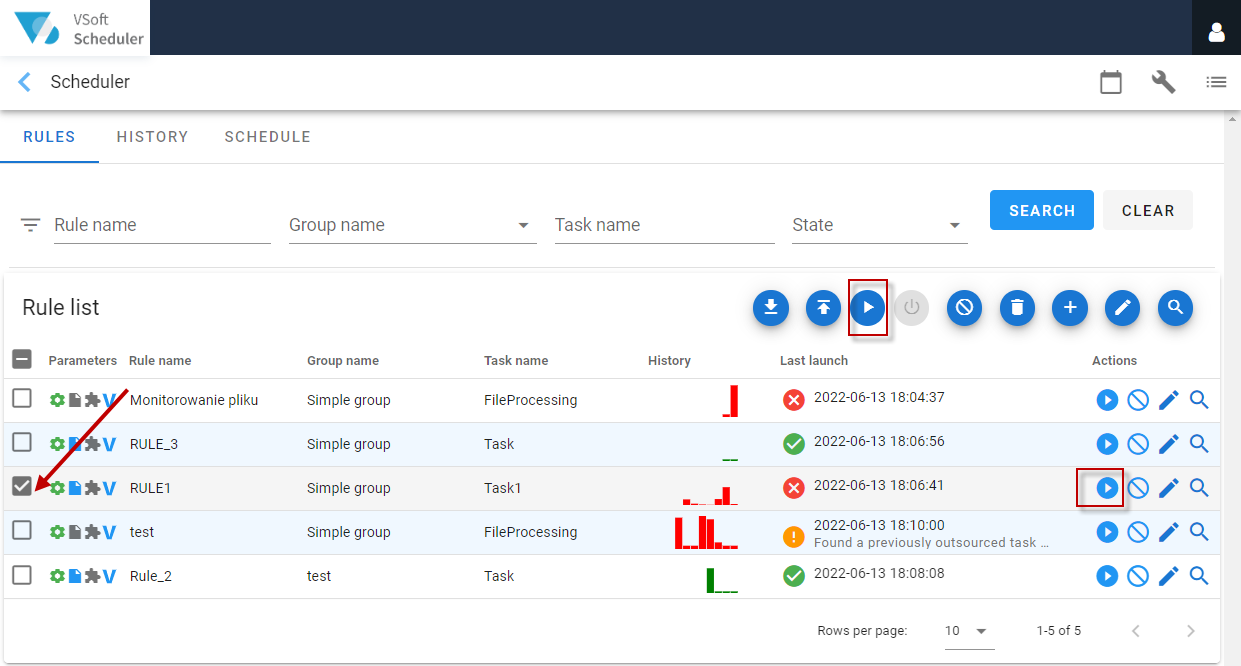
- Select a rule in the list.
- Select the Run button in the Action Panel or in the action column next to the rule.
tip
The Run button allows you to start the monitoring once. This means that the path rules will be checked. If the files are not found, the task will not be started.
- A window will be displayed to confirm that the rule has been run, along with the launch parameters. Select either Run to run the task or Cancel.

- If you select the Run option, a message will also be displayed to inform you that the selected processing rule has been ordered to run.