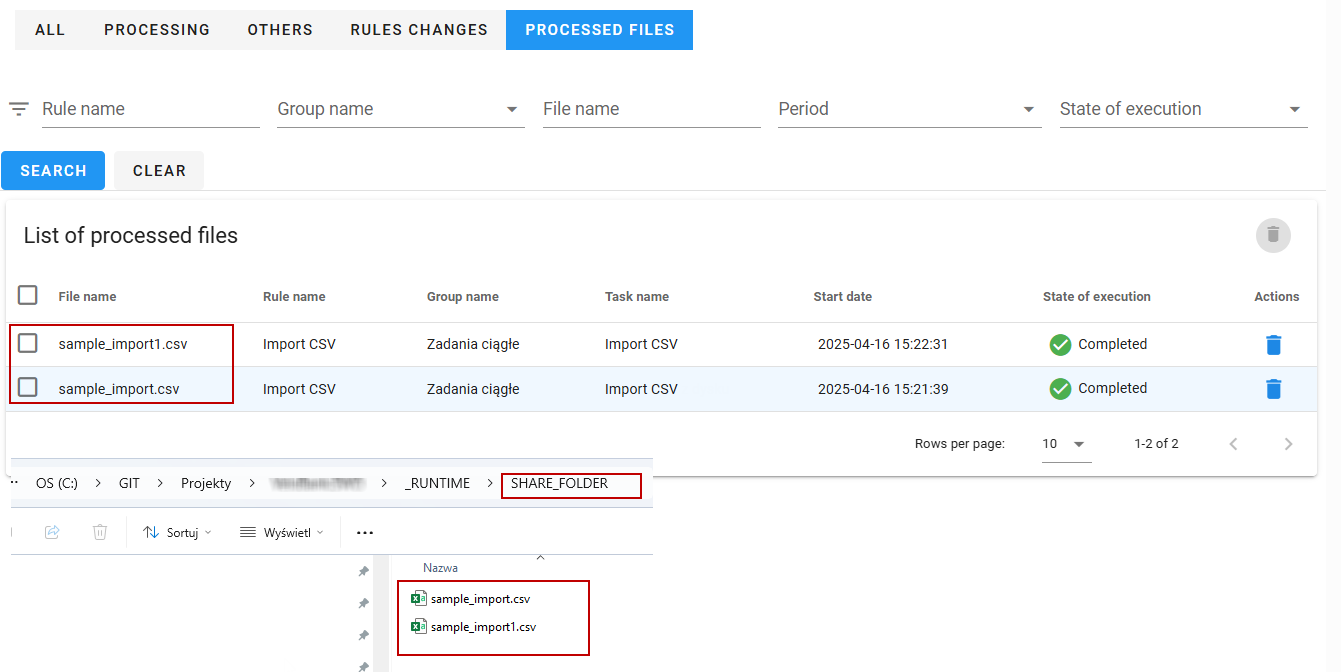
A task for monitoring files in VSoft Scheduler
The following example describes the creation of a task that monitors the SHARE_FOLDER directory for files ending in .csv
The task is to:
- run every 10 minutes at specified times,
- load at most one still unprocessed file each time,
- not rename the file after processing.
Configuration of the task
- Select the Add rule button available above the list of rules.
- Fill the data for the rule:
- Manner of execution: automatic
- Allowed number of simultaneously running tasks: 1
- Valid from
- Exclusion calendar: Daily.
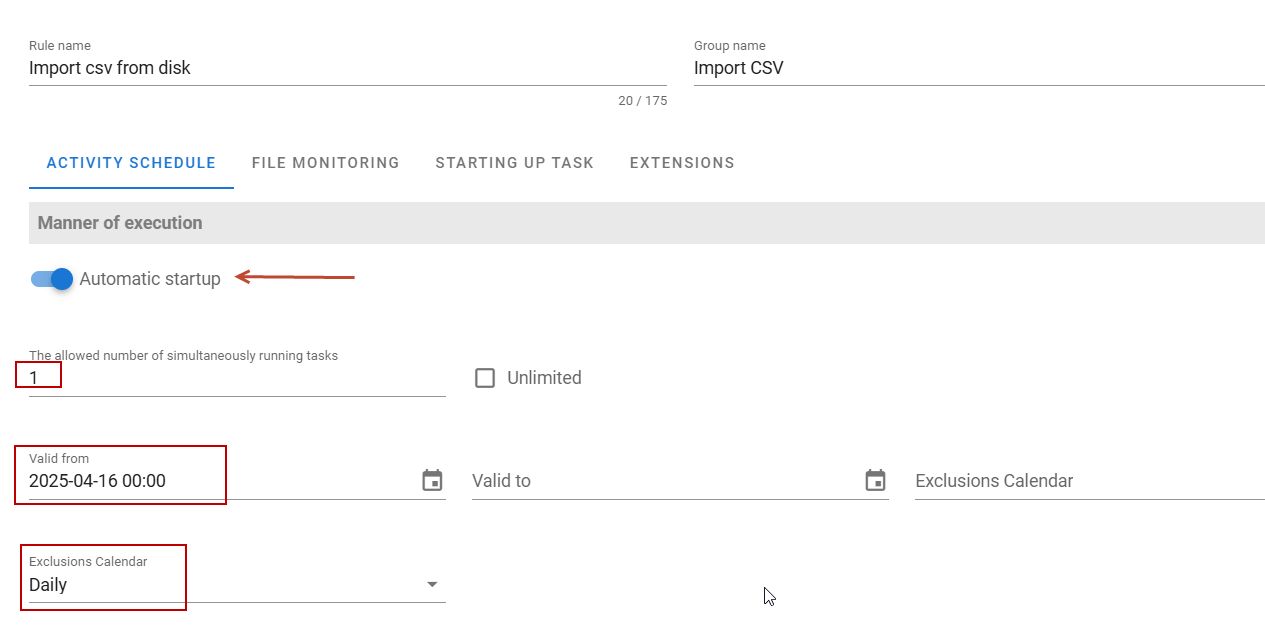
- Specify further parameters like:
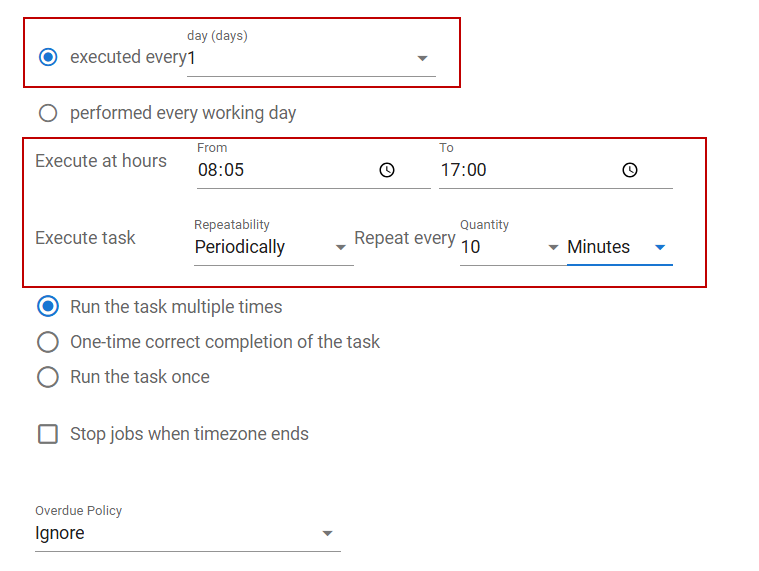
- Executed every : 1 day
- Execute at: 8:05 am to 5:00 pm
- Execute task : Periodically, repeat every: 10 minutes.
- Check the options to run the task multiple times.
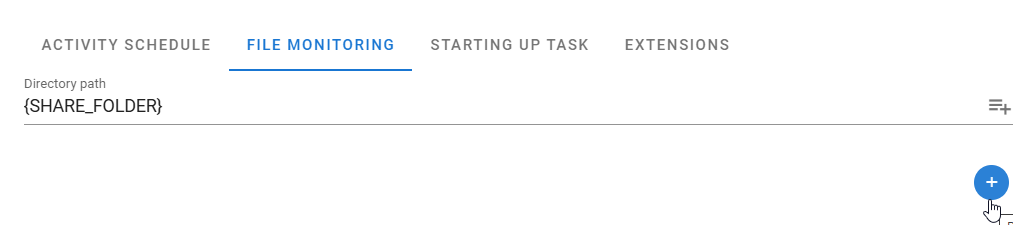
- On the File Monitoring tab, we specify how to monitor files.
- For this, we use the predefined configuration variable
{SHARE_FOLDER}indicating the shared directory for the environment by default, this directory is[runtime folder]SHARE_FOLDERand can be changed using the configuration variableparams.common.share_folder
warning
When indicating the directories to be used by Scheduler, take care to give them permissions that guarantee access to them for the user on whom the Scheduler service is running.
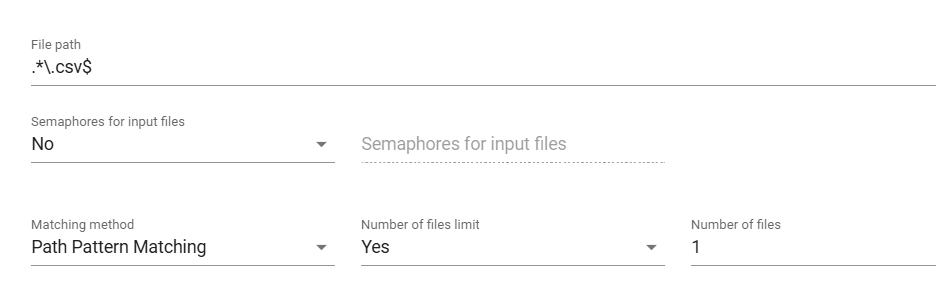
- Specify how we will recognize (group) files. Select the Add button.
- We indicate that we will use regular expressions (Path Pattern Matching).
- We specify using a pattern (regular expression) that we are looking for CSV files -
.*.csv$. - We specify that we do not allow multiple processing of a given file - the Yes option in the Number of files limit field and the value 1 in the Number of files field.
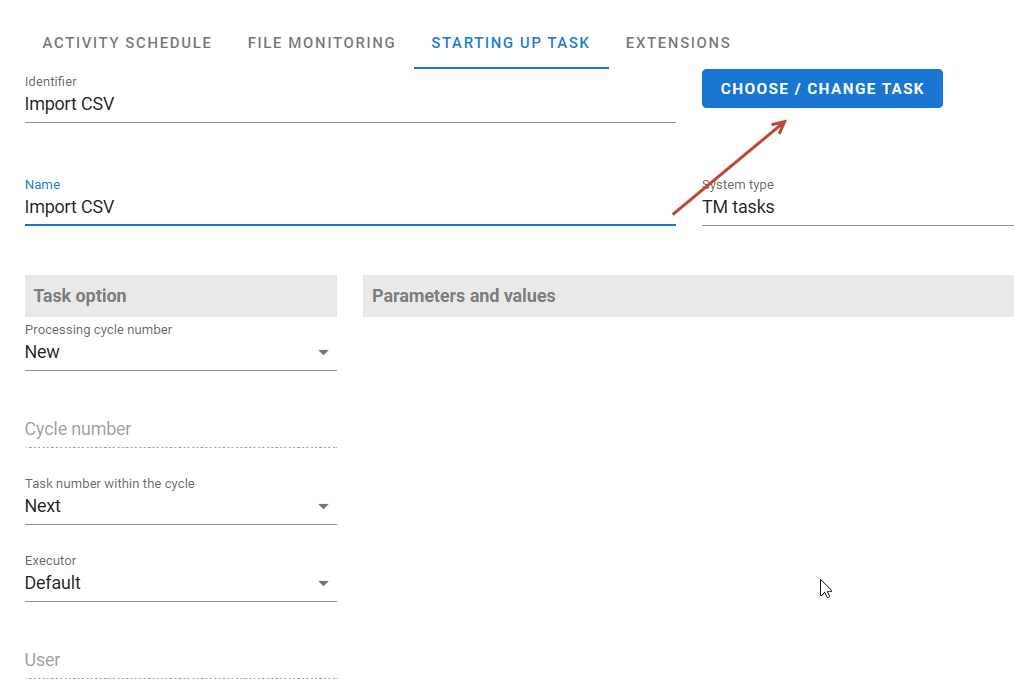
- On the Starting up Task tab, indicate which task from the task hierarchy is to be run.
The way file loading is handled
The list of processed files, based on which the task recognizes which files are “new” and need to be processed, is located on the History>Processed Files tab.
warning
Note that deleting any file from this list will cause it to be treated as a new, not yet processed file and to be processed again at the next opportunity.