Deleting and restoring a version
You can delete a version from the Version server where it is saved. The condition for deleting a version is that the version to be deleted is not associated with other versions.
For example, if you want to delete a data structure which is related to a different structure, a message will be displayed that the version is being used by the other version and the data structure cannot be deleted.
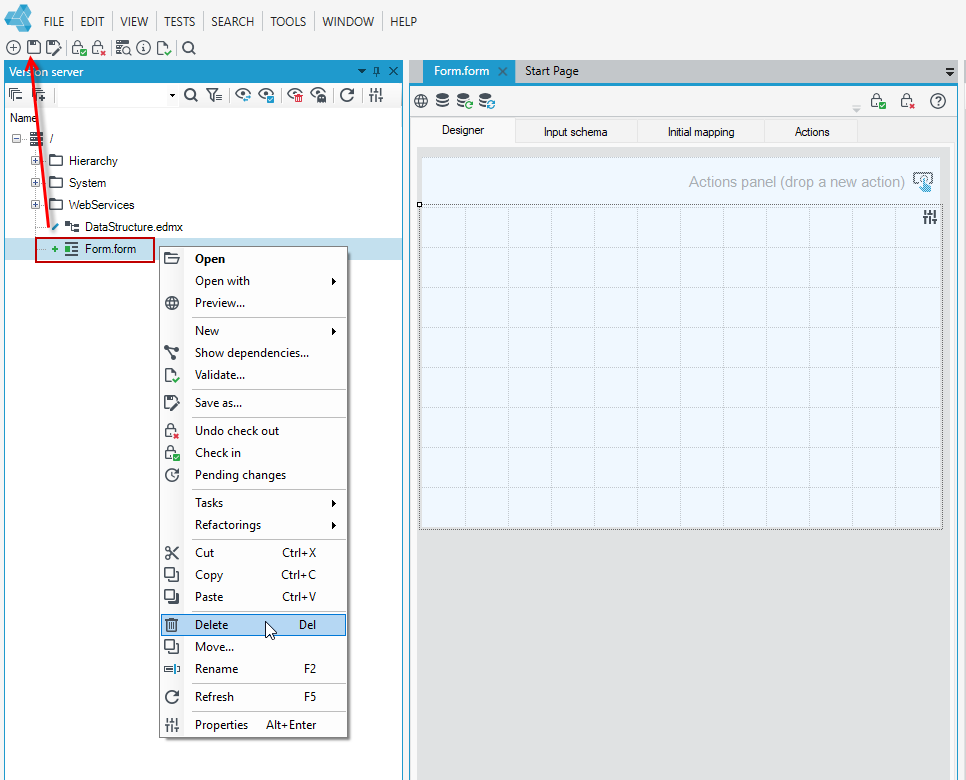
- Select the Version server panel.
- Select the file on the version server.
- Right-click and select Delete from the context menu.
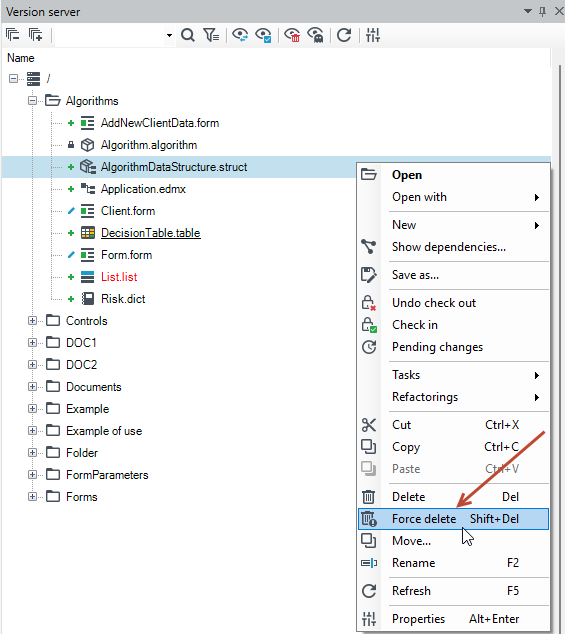
If you want to delete a version despite its relations to other versions, use the combination Shift + Force delete (the command appears in the context menu after pressing the Shift key and right click).
Restoring a deleted version
If you delete a version from the database server, it is not permanently deleted from the Version server. You can restore the version.
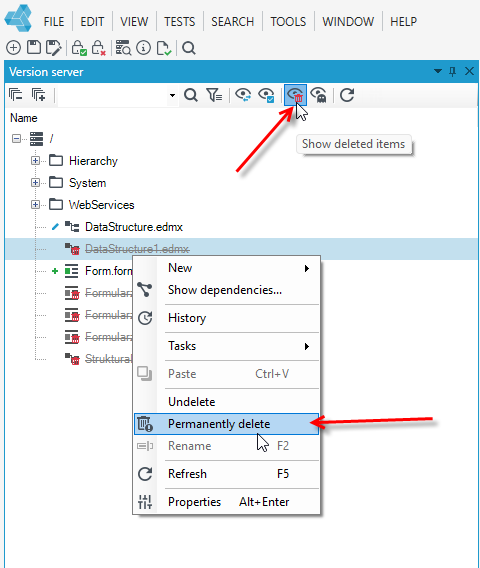
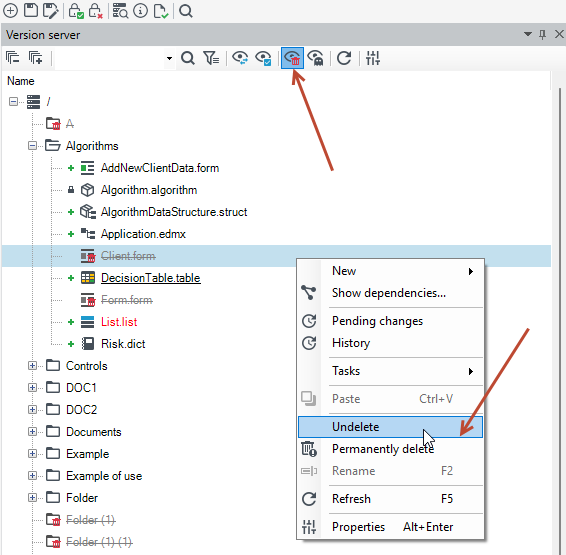
- Select the Version server panel and Show deleted items from the top menu.
- Click on the deleted element and select Undeletefrom the context menu. You can also permanently delete a version, but it will no longer be stored and available on the version server.
Permanently removing a version from the database version server
If you have a database version server for your project, you need to perform two operations to delete a version pernamently.
If you delete a version pernamently, it cannot be restored and will no longer be stored or available on the version server.
- Select the Version server panel.
- Select the file on the version server.
- Right-click and select Delete from the context menu. In the case of a database version server, after selecting Delete:
- the version will be permanently deleted if the Check in option has never been selected for the version - for example, the user created a form and only saved it without selecting the Check in option.
- the version will not be permanently deleted if the Check in option has already been selected for the version at least once. Such a version is not permanently deleted but is still stored on the version server.
- To go to deleted files, select the Show deleted items option from the top menu.
- To permanently delete, select the Permanently delete action.