Hidden files
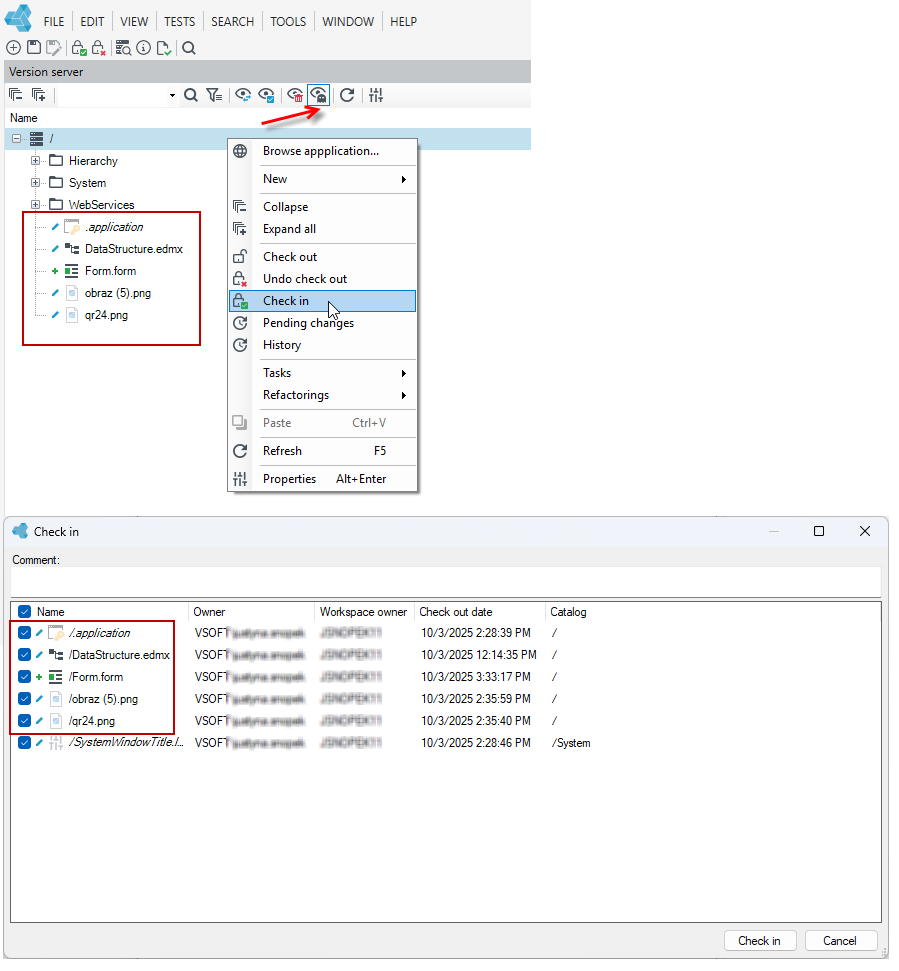
The file version server and the database version server contain hidden files. These are files containing a predefined set of permissions, local variables, predefined images, and application configuration files.
- To view the files, go to the Version server panel and select Show hidden types.
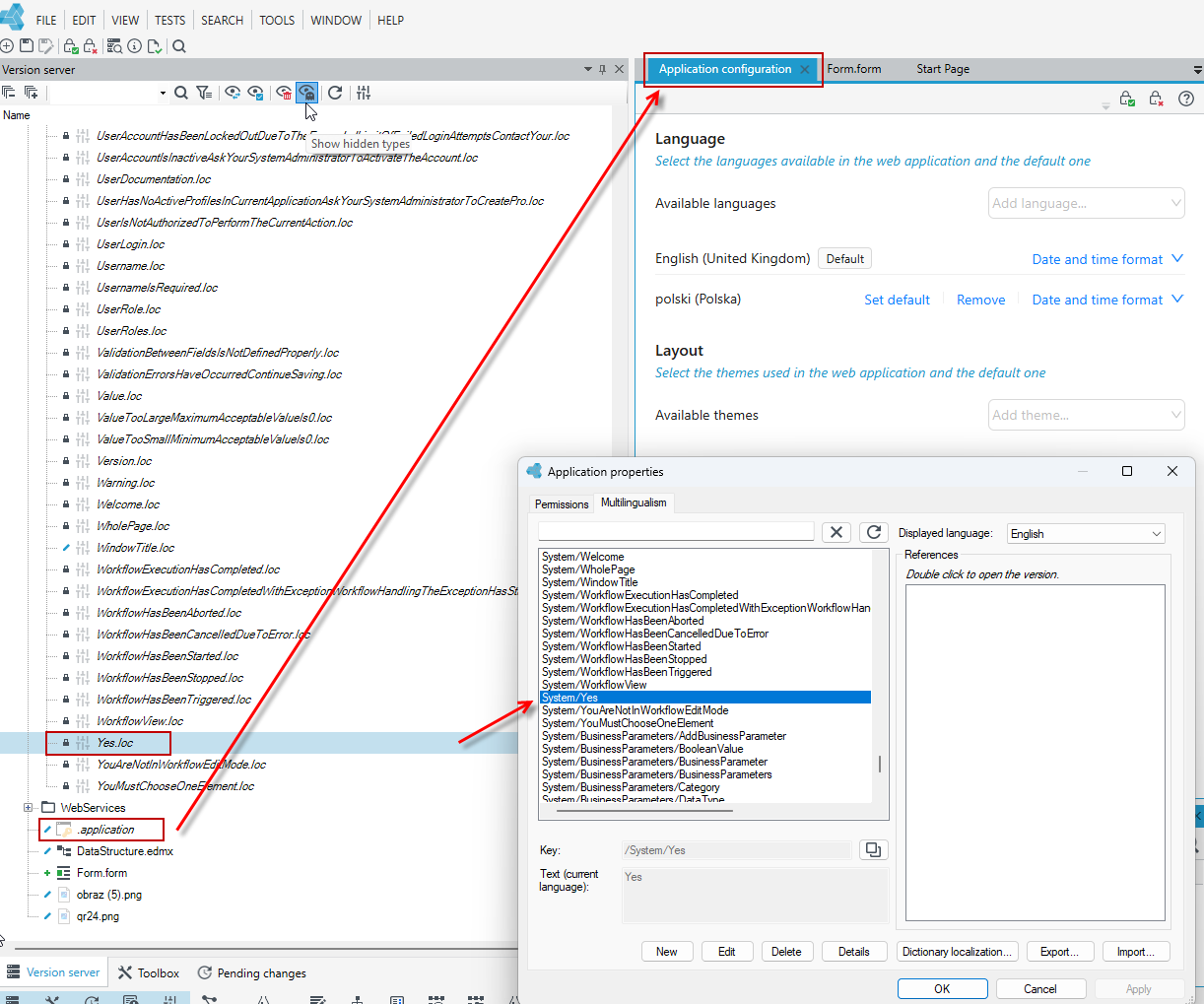
- To edit a file, double-click on it in the version server panel, and the file will open in the target file editor:
- when editing an image, the image editor window will open
- when editing permissions or local variables, the Application properties window will open with the Permissions and Multilingualism tabs
- when editing the application configuration, the file will open in the main Application configuration window.
Actions from the Version Server for hidden files
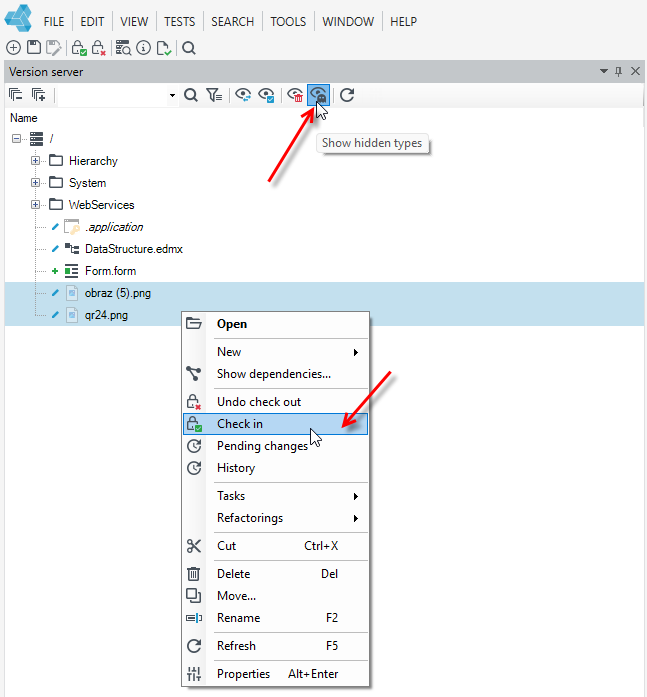
For hidden files, you can also perform actions from the Version server panel, such as:
- Check in/Check out a version
- Delete a version - you can delete newly added files, but you cannot delete predefined platform files (predefined permissions, local variables, images, application configuration file).
- Select the versions for which you want to perform the action and select the option from the context menu.
tip
If you have selected the option to show hidden types in the Version server panel and then select a given option from the data root, the action will be performed for all version server files, both hidden and non-hidden.