Version Mass Validation
The version server allows you to check whether all elements of the application are working in accordance with the original assumptions.
You can check everything, that is, the entire contents of the version server, or a single version, or a particular version folder.
- Select the Tools menu, then Mass integrity check.
- In the Mass integrity check window, check the versions that you want to validate or leave them unchecked, then all versions that are included in the version server will be validated.
- Select Start.
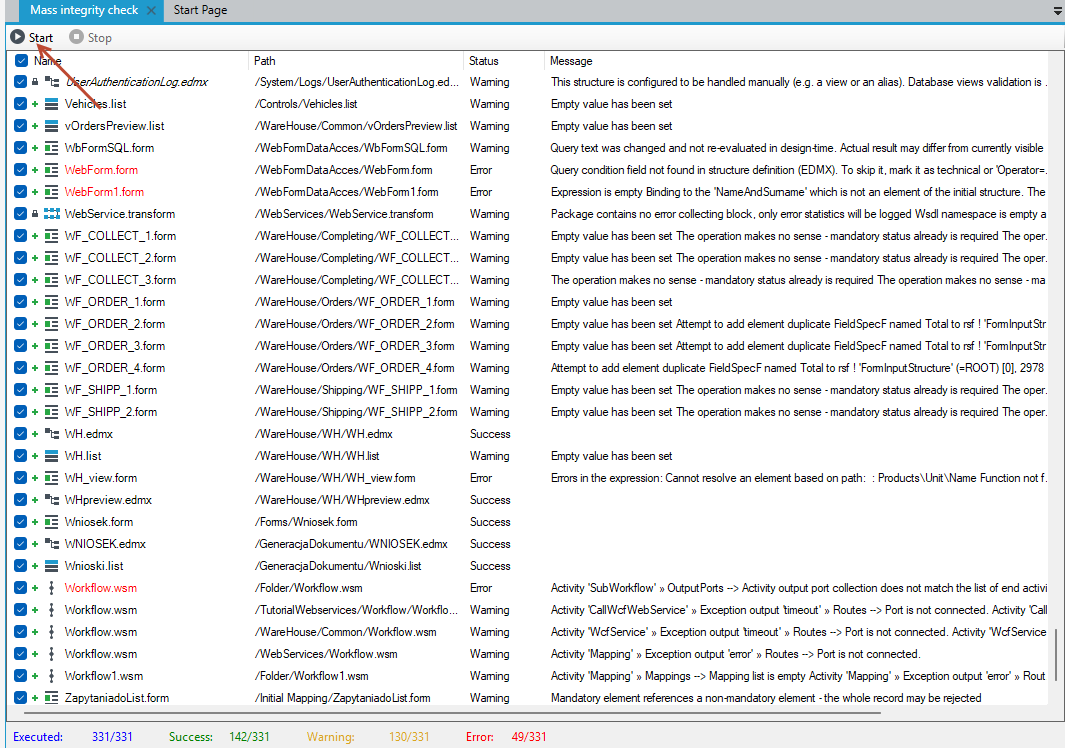
If there are errors or warnings then a message will be displayed telling you exactly where the error is. You can double-click on a given version to display it in the designer window.
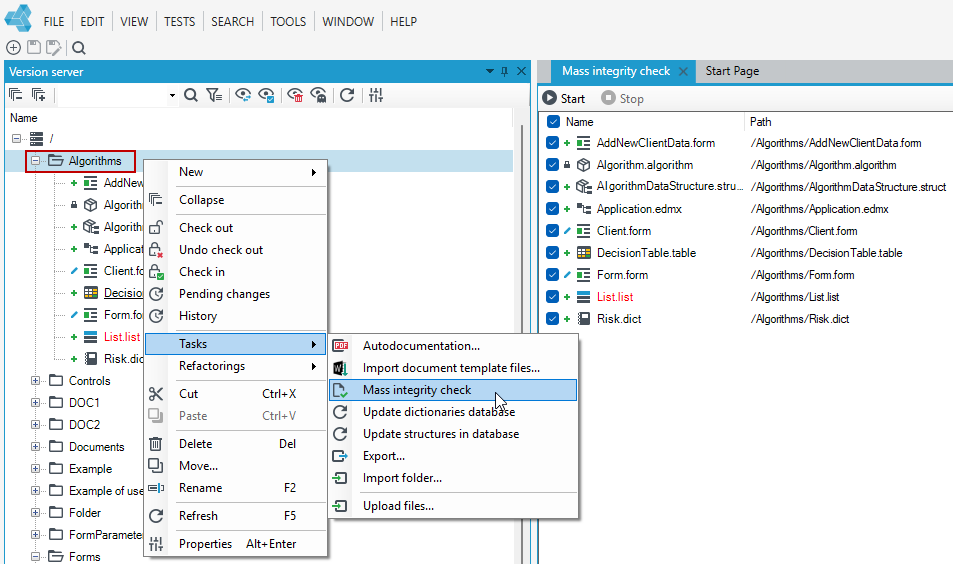
- If you want to check one version or a specific folder, select it on the version server.
- Right-click and select Tasks from the context menu, and then Mass integrity check.
- Only versions from the selected folder or one version that has been selected on the version server will be placed in the mass validation window.