What are the Business workflows
The Business workflows makes it possible to design the logic controlling the flow of data and tasks in the application.
When defining the workflow, its individual steps, the order in which forms are displayed and the rules of data circulation between users are determined. The workflow definition also includes steps related to integration with other systems (calling external services) and calling tasks of the VSoft archITekt platform (calling an algorithm, starting data processing).
The operation of both workflows and microworkflows is based on transitions from one state to another. Each state transition is executed transactionally (a single database transaction that includes both business data and the workflow's local data).
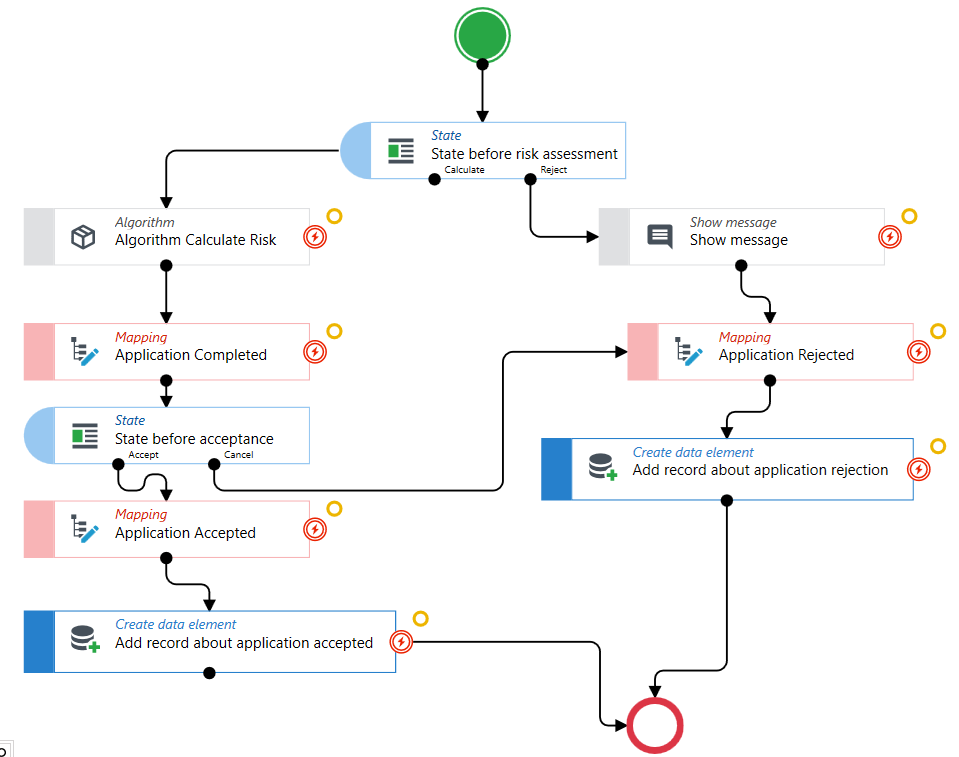
Purpose of the workflow
The workflows enables the creation, modification and management of business processes occurring in the application, using a graphic designer. The workflow is defined in the diagram using sequential operations linked together. These operations represent, among others, business activities performed automatically by the system, decision points controlling the choice of processing paths and places of interaction with end user (forms presented to the user).
You can quickly run workflows both in a synchronous mode (e.g. in response to user actions on the screen) and asynchronous mode (used in the case of longer-lasting workflows). For more information, see: Asynchronous and Synchronous Workflow. The Workflows allows you to:
- design, build and modify business processes in a graphic environment,
- construct workflows using a range of universal activities,
- expand the range of available activities with business activities specific to a given system,
- divide complex workflows into sub-workflows,
- track the execution path of workflows, both those currently being executed and those already completed,
- access to the execution log containing detailed information on each of the activities launched,
- extensively manage the workflow variables; determine the input and output parameters of the workflow, build workflows that operate simultaneously on many data structures,
- execute workflows in two modes: synchronous and asynchronous,
- control the method of executing and continuation of workflows, e.g. start parallel subworkflows, suspend the execution of the workflow and define continuation methods (e.g. user action, elapsed time, receiving a signal from another component or system),
- export and import workflow execution paths (for diagnostic purposes),
- administrate the workflow (single and mass): abort and stop, resume, restart and update the definitions of already running workflows.
The archITekt platform offers the possibility of providing access via API to business elements such as workflows and microworkflows. This operation is performed by publishing the element in the version server, see: Publishing versions.
See also
Preparation before creating the workflow - determining the data for the workflow