Workflow testing
You test a workflow by running it and then following its execution. You can then check, among other things, whether:
- the mappings have been performed correctly,
- the conditions in the Decision activity direct the workflow along the correct paths,
- the workflow exits the State activity through the defined output ports.
For more information on running a workflow and previewing its execution, see: The workflow execution tracking.
Workflow based on a data structure
A common mistake when testing is running a workflow that uses a data structure in its mappings directly from archITekt Studio. Such a workflow needs a specific data element to work on.
Example
On the Variables tab of the workflow, a data structure variable has been defined, and the fields of this structure are used in the mappings of activities (e.g. in the Mapping activity). When such a workflow is started from archITekt Studio, an error will always occur during its execution.
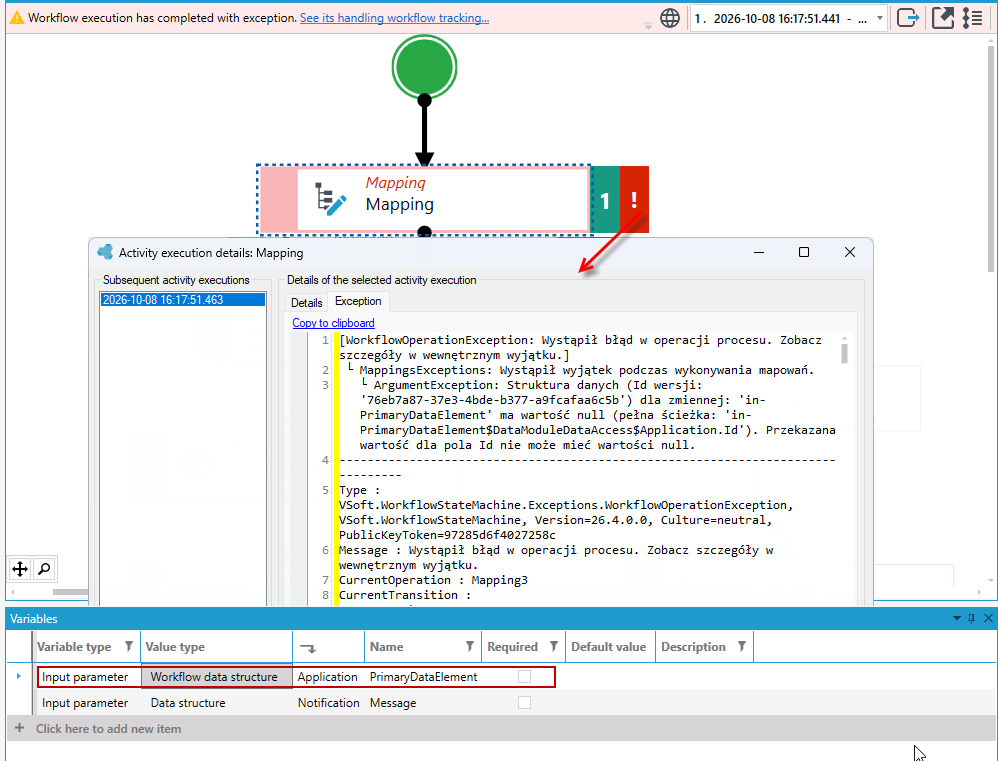
This is because a workflow started from archITekt Studio does not work on any specific data element – it does not receive a data element Id as input, so it has nowhere to take the field values from.
Before testing, prepare the data for the workflow in one of the following ways:
- create a data element in the workflow itself using the Create a data element activity, see: Create a data element,
- call the workflow from another workflow that already has the data prepared,
- call the workflow from a form or a list in the web application, see: Calling a workflow from a form and a list.
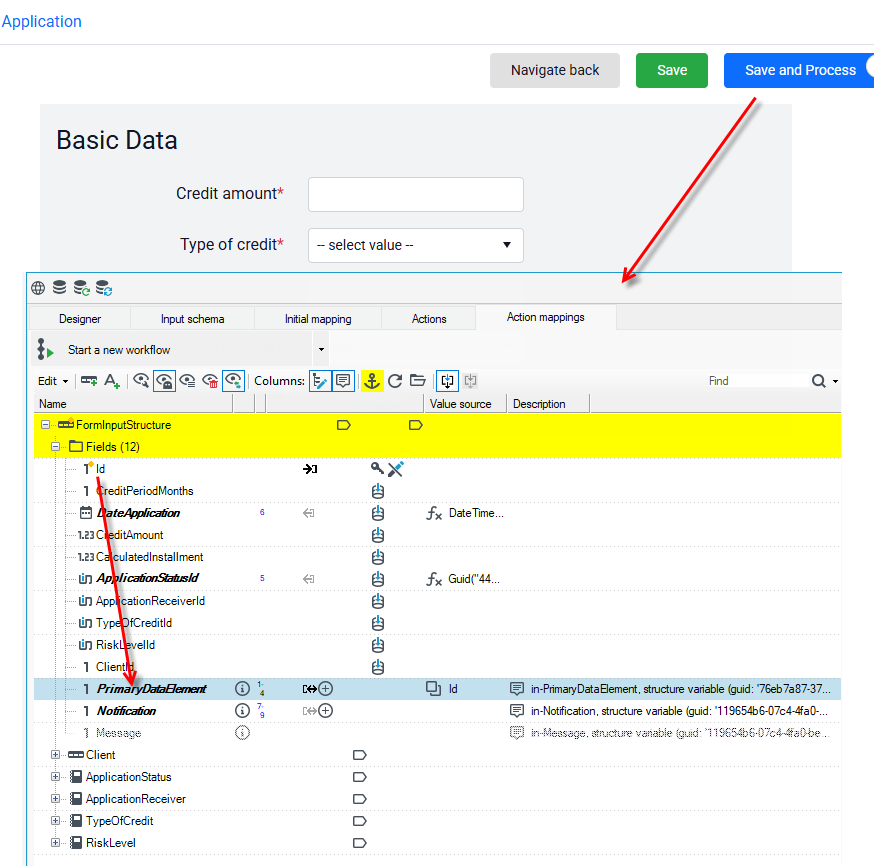
In the example below, the same workflow has been attached to the data save action on a form. The data element for the workflow has been specified in the action mappings. The form must be based on the same data structure as the workflow – then the workflow runs without errors when started from the web application.
Checking the execution in the workflow manager
- From the main menu, select Tools > Workflow manager.
- Find the started workflow on the list, right-click it and select Track workflow from the context menu.
- Check the Data element Id column. The workflow started from the form has a data element Id in it, so its mappings could be performed. The workflows started from archITekt Studio have no data element Id and ended with an exception.
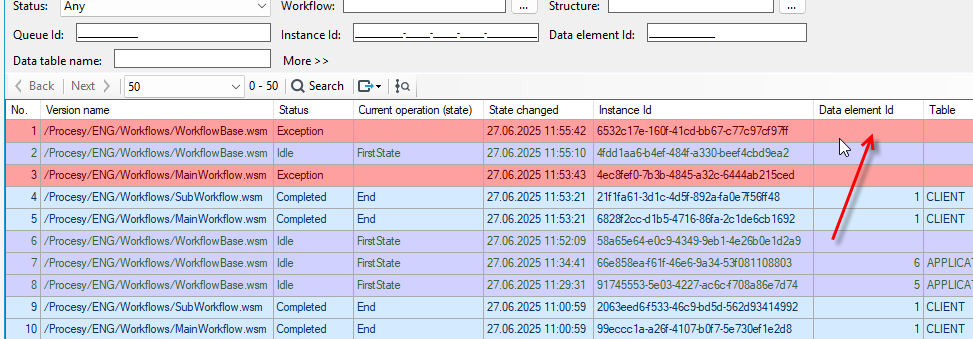
- In the workflow execution preview opened from the workflow manager, you can follow the actual execution of the workflow, which this time ended without an exception.
For more information on the workflow manager, see: Workflow manager.