Workflow validation
The user can check the correctness of the created workflow at any time while working on a workflow. After validation, a validation message or information about any workflow item configuration errors found is displayed.
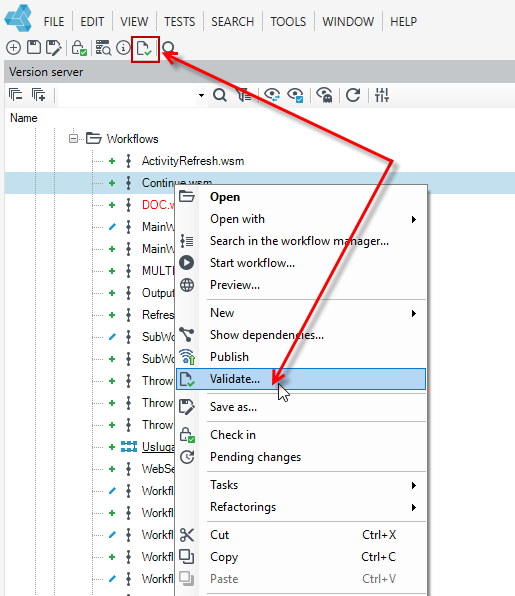
- From the top menu, select Validate, or:
- Select the Version Server panel, select the desired workflow and select Validate from the right-click context menu.
- If you also want to validate elements related to a workflow, such as data structure or form used, then select the workflow on the version server and select the Tasks> Mass validation option from the context menu. For more info see: Version server> Mass Validation.