Sample applications
You don't have to start with an empty project. We have prepared 15 ready-made sample applications that you can download with a single click in VSoft archITekt Launcher. Run them, see how they work, and then look inside to see how they were built and "clicked together" in archITekt Studio – without coding, in a single environment.
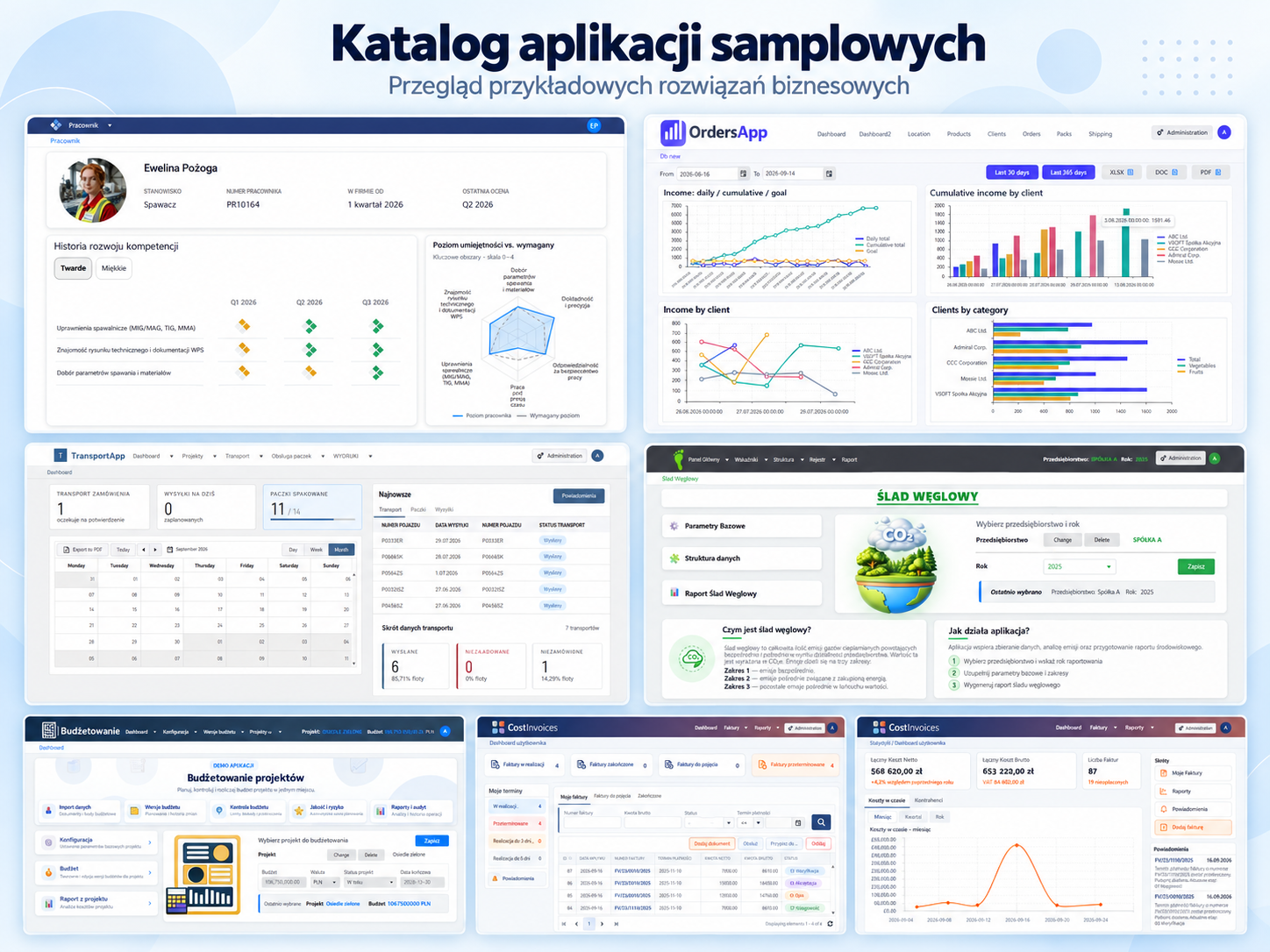
The applications cover typical business areas: finance, ESG, HR, sales, logistics, insurance, customer service, procurement, healthcare and document management. Each of them shows in practice how archITekt combines the following into one working solution:
- data structures and dictionaries (Core),
- forms, lists and dashboards (user interface),
- business rules and decision tables (algorithms),
- workflows (processes),
- integrations and mass data processing (data processing),
- document templates (document generation).
Sample applications work well as:
- a starting point for your own project – you can extend them or adapt them to your needs,
- learning material – you will see what the configuration of individual platform modules looks like in practice,
- a demonstration of archITekt's capabilities – ready-made examples that you can show to your team or a customer.
Start with a ready-made solution and shorten the way from an idea to a working application.
See more
- Description of the sample applications – a detailed description of each application with screenshots.
- How to access the sample applications – how to download and install an application in the Launcher.
- Sample applications catalog – the VSoft archITekt website, where after registering you can get the applications catalog or the archITekt platform itself.
Sample applications
Document Management
Category: Documents
Order and consistency in company documentation.
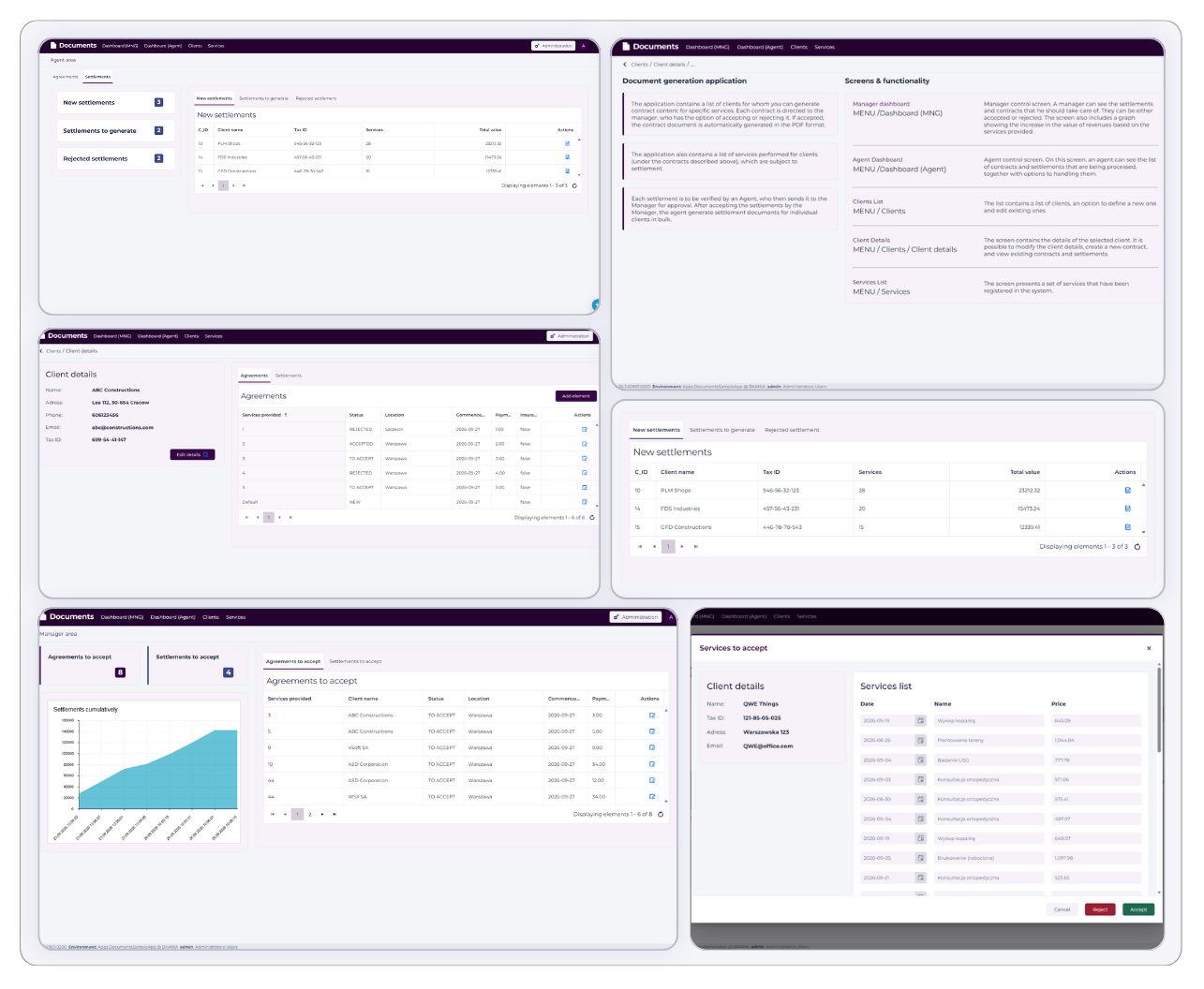
The application provides tools for storing, organizing and managing documents within the organization. It supports document handling and ensures easy access to them – users can browse, search and maintain multiple documents as part of their daily work. The solution uses data processing packages and helps maintain order and consistency in company documentation processes.
Key features:
- Document storage
- Document search
- Document generation
- Processing packages
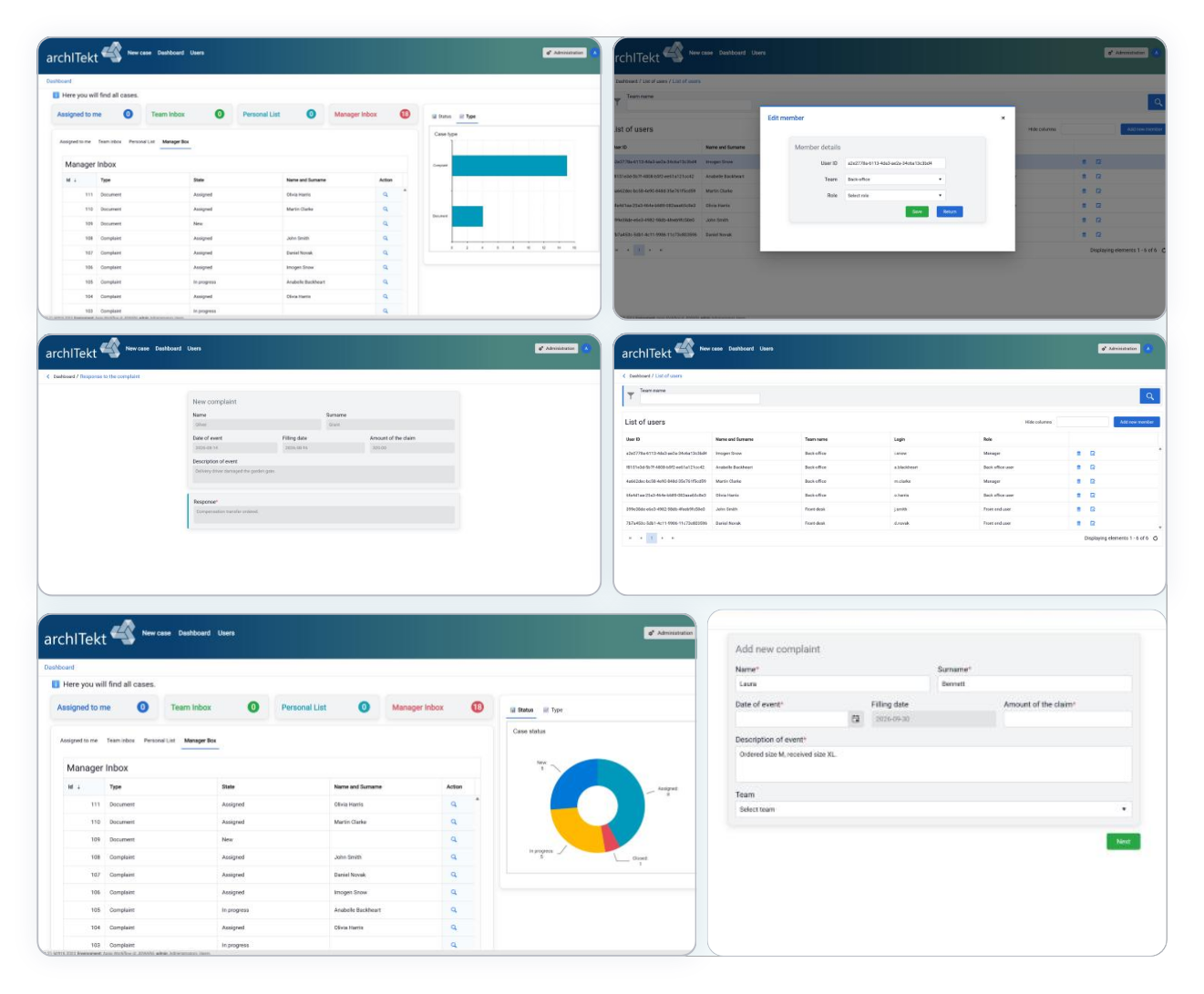
Workflow - Complaints
Category: Customer service
Every complaint at the right stage and in the right hands.
The application enables creating and processing complaint requests: from creating a request, through its verification and subsequent handling stages, to case closure. Individual request statuses are handled by different users, and the look of the screens and the availability of actions depend on the permissions of the logged-in user. The main dashboard lets you monitor current cases and quickly identify requests that need further handling.
Key features:
- Complaint forms
- Roles and visibility
- Request statuses
- Processes
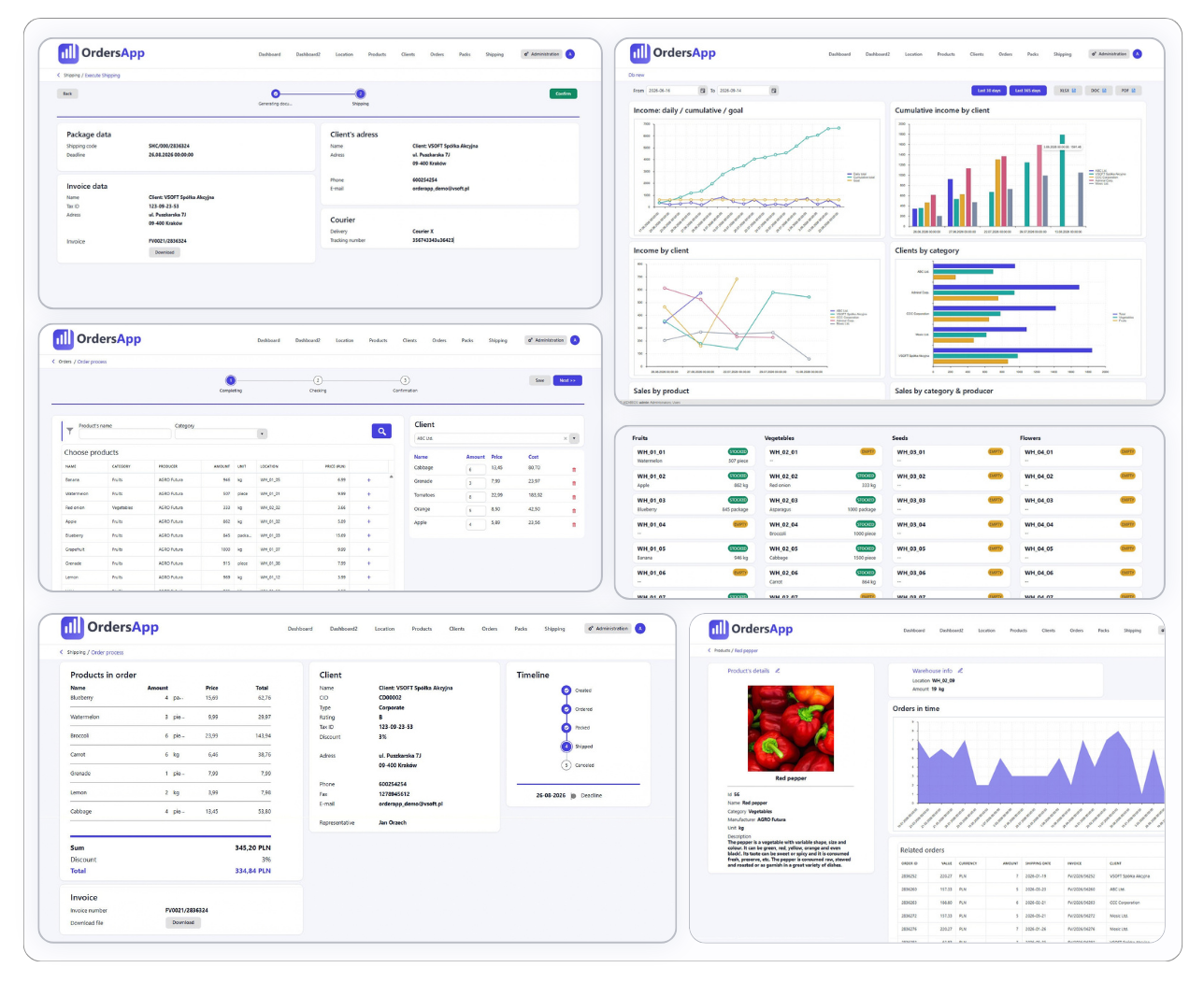
Order Processing
Category: Sales
Efficient sales handling – from product selection to sending documents.
The system guides the user through the entire order process: from selecting products and creating an order, to generating documents and shipping. It provides a quick overview of products, customers and orders at various stages of fulfillment. Built-in charts and summaries make it easier to monitor current data, while automatic document generation and email sending streamline sales handling.
Key features:
- Order management
- Order statuses
- Product list
- Data charts
- Document generation
- Email sending
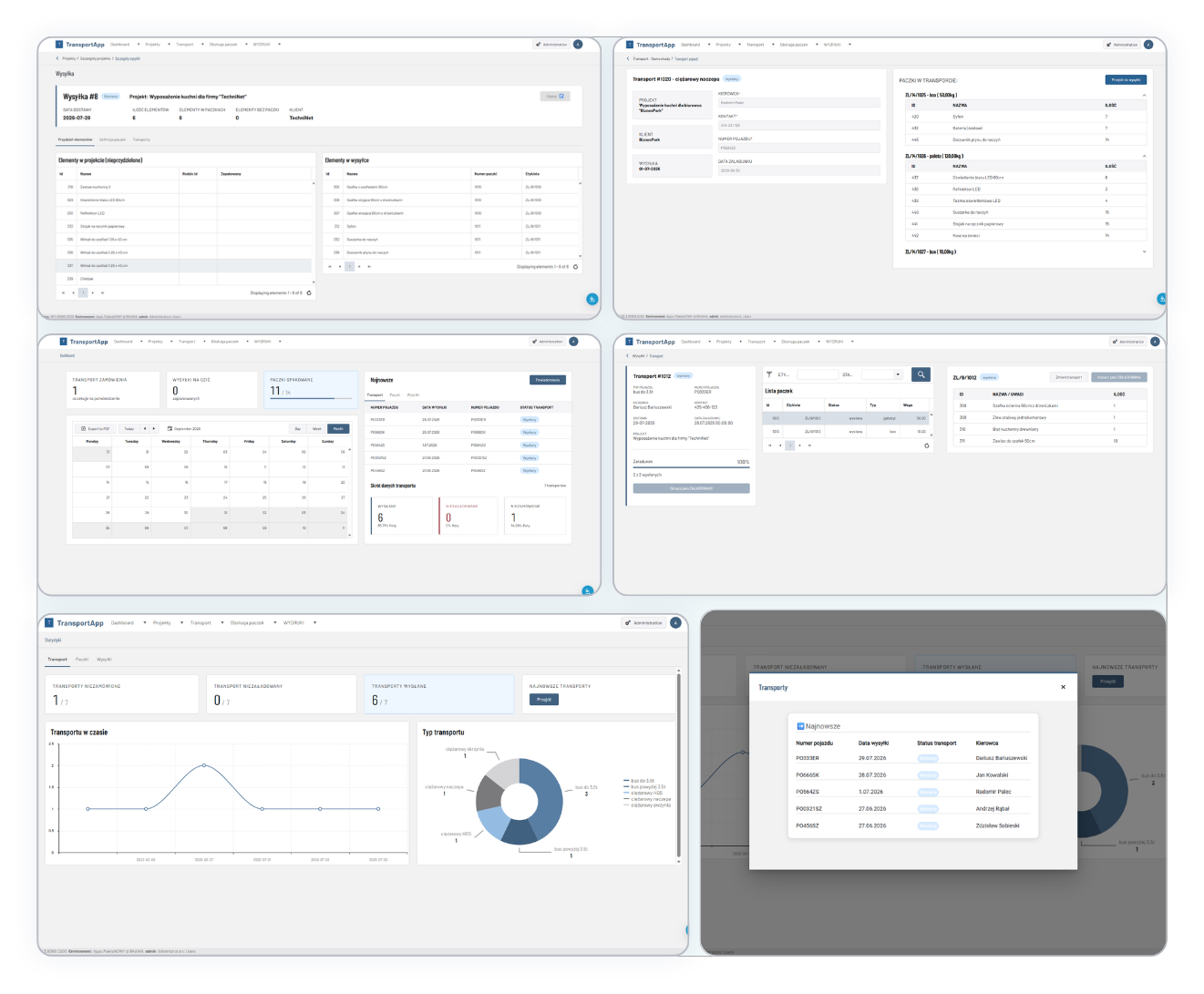
Parcel Shipping
Category: Logistics
Full delivery transparency, even for orders shipped in multiple batches.
The application streamlines logistics management for complex orders whose items may be shipped in multiple batches and in different types of parcels. It covers the entire shipping process (from order preparation, through transport organization and parcel handling, to delivery monitoring and statistics analysis), ensuring full transparency at every stage. Users can track order completion progress and the status of individual parcels and shipments, and quickly identify delays. The system generates, among others, transport documents and parcel content summaries.
Key features:
- Order picking
- Transport organization
- Parcel handling
- Shipment monitoring
- Printout generation
- Statistics
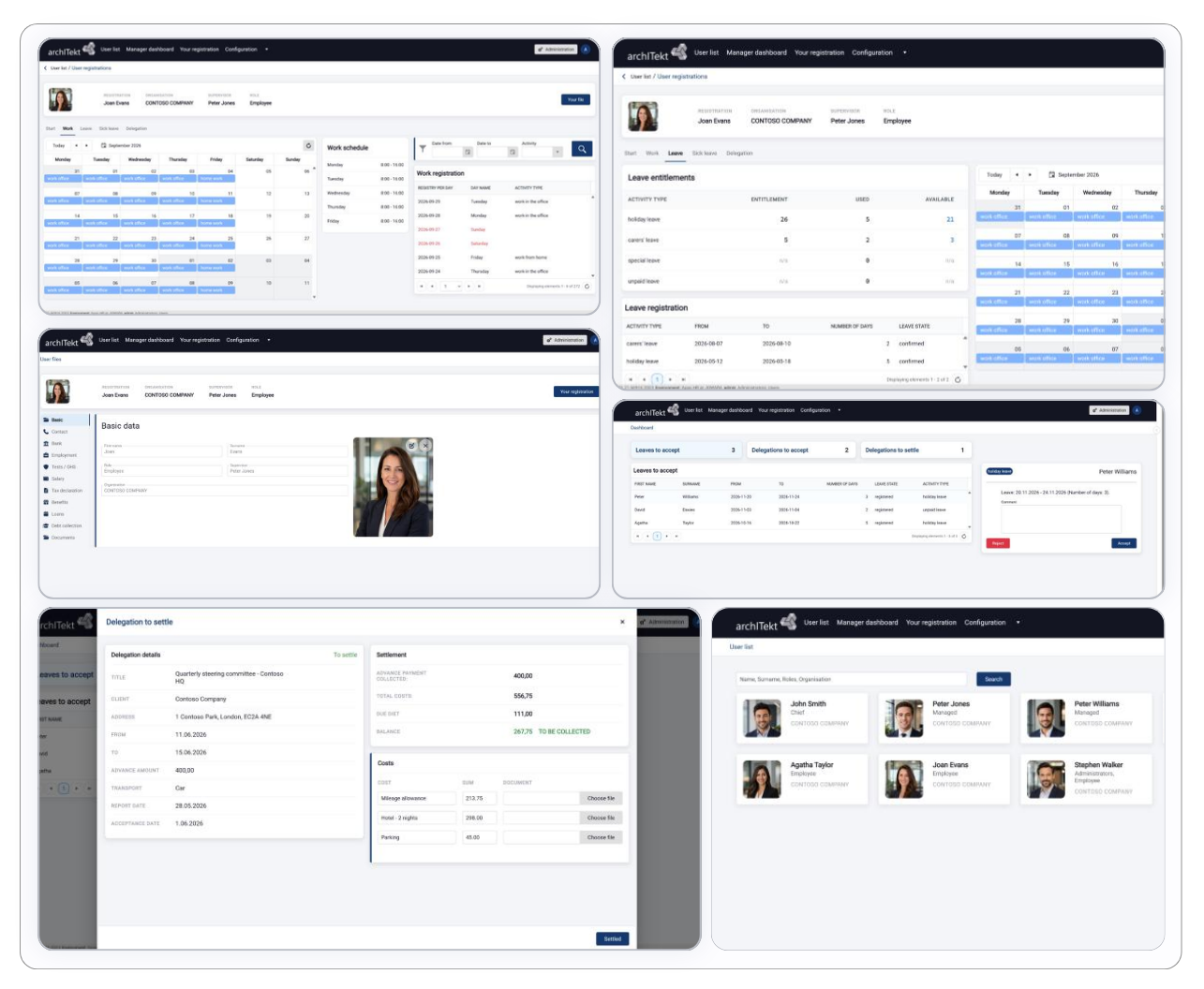
HR
Category: HR
Working time, absences and business trips – comprehensive handling of HR processes.
The solution covers working time, attendance and HR process management within the organization. Employees can register working time and report remote and office work, holidays, sick leave and business trips. The system allows settling business travel expenses, reviewing and updating data in the employee record, and configuring leave days for individual employees.
Key features:
- Time tracking
- Employee record
- Holidays and sick leave
- Business trips and settlement
- Leave day configuration
- Document generation
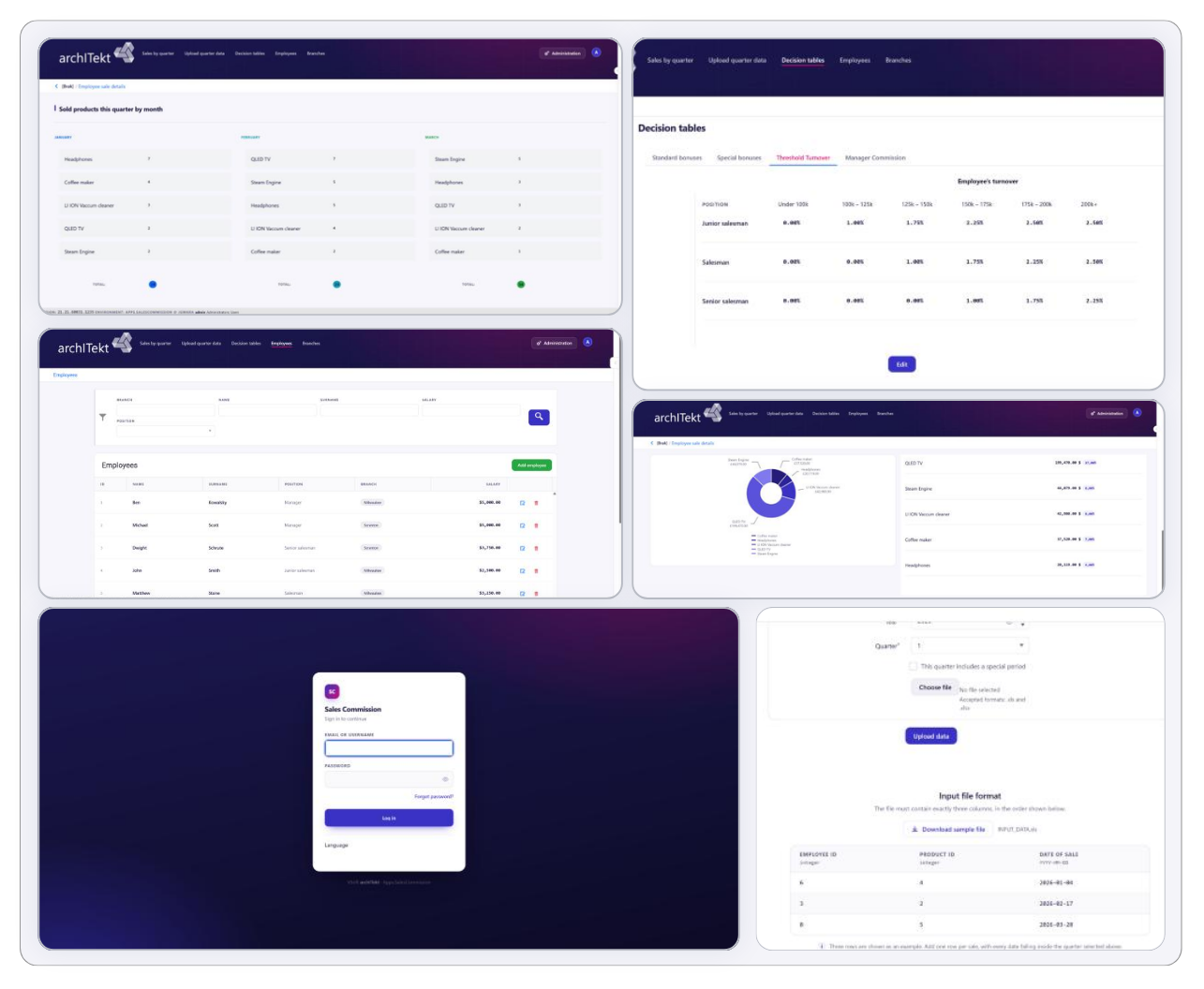
Sales Commission
Category: Sales
Clear and consistent commission calculation – automatic, based on turnover thresholds.
The application automatically calculates employee commissions based on decision tables with turnover thresholds. Managers' commissions are calculated separately (they depend on the turnover of their branch). The solution uses decision tables, algorithms and processing packages, providing a clear and consistent approach to commission settlement.
Key features:
- Decision tables
- Turnover thresholds
- Commissions
- Calculation algorithms
- Processing packages
- Sales summaries
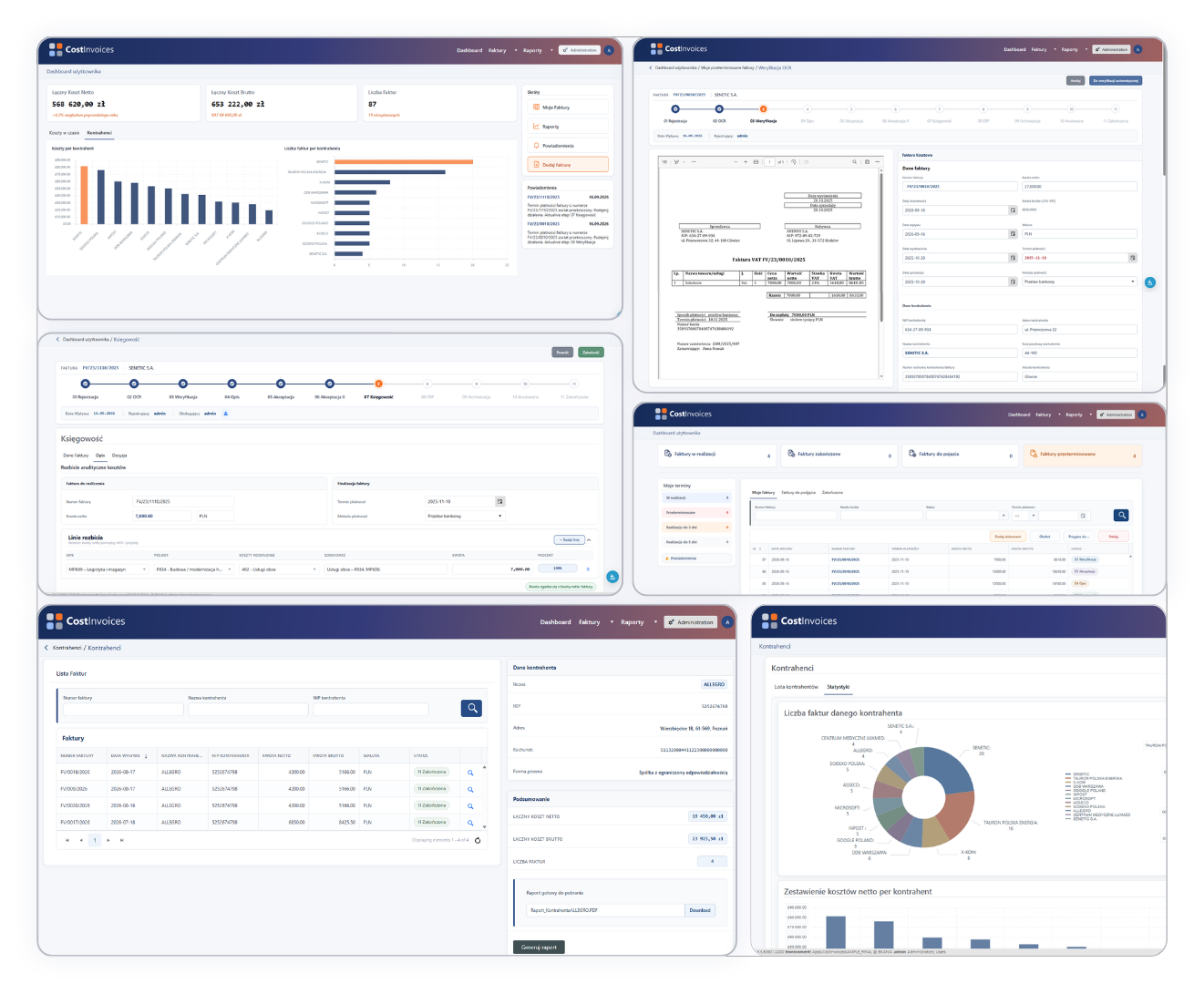
Cost Invoices
Category: Finance
The entire lifecycle of a cost invoice in one place – from registration to archive.
The system supports the full lifecycle of cost invoices: from registration (automatic using OCR, or manual), through verification and approval, to posting and archiving. It provides complete control over company expenses and supports ongoing financial settlement. The user can quickly search invoices, monitor payments and contractors, generate reports and use statistics. The solution uses workflows and transformation packages, and its architecture allows integration with external OCR systems (e.g. ABBYY, Azure AI Document Intelligence). The demo version uses a simulated service that returns a predefined document-recognition result. It can be replaced with a production integration.
Key features:
- Invoice flow
- Multi-stage approval process
- Payment and deadline monitoring
- Contractor management
- Report generation
- Invoice, payment and contractor statistics
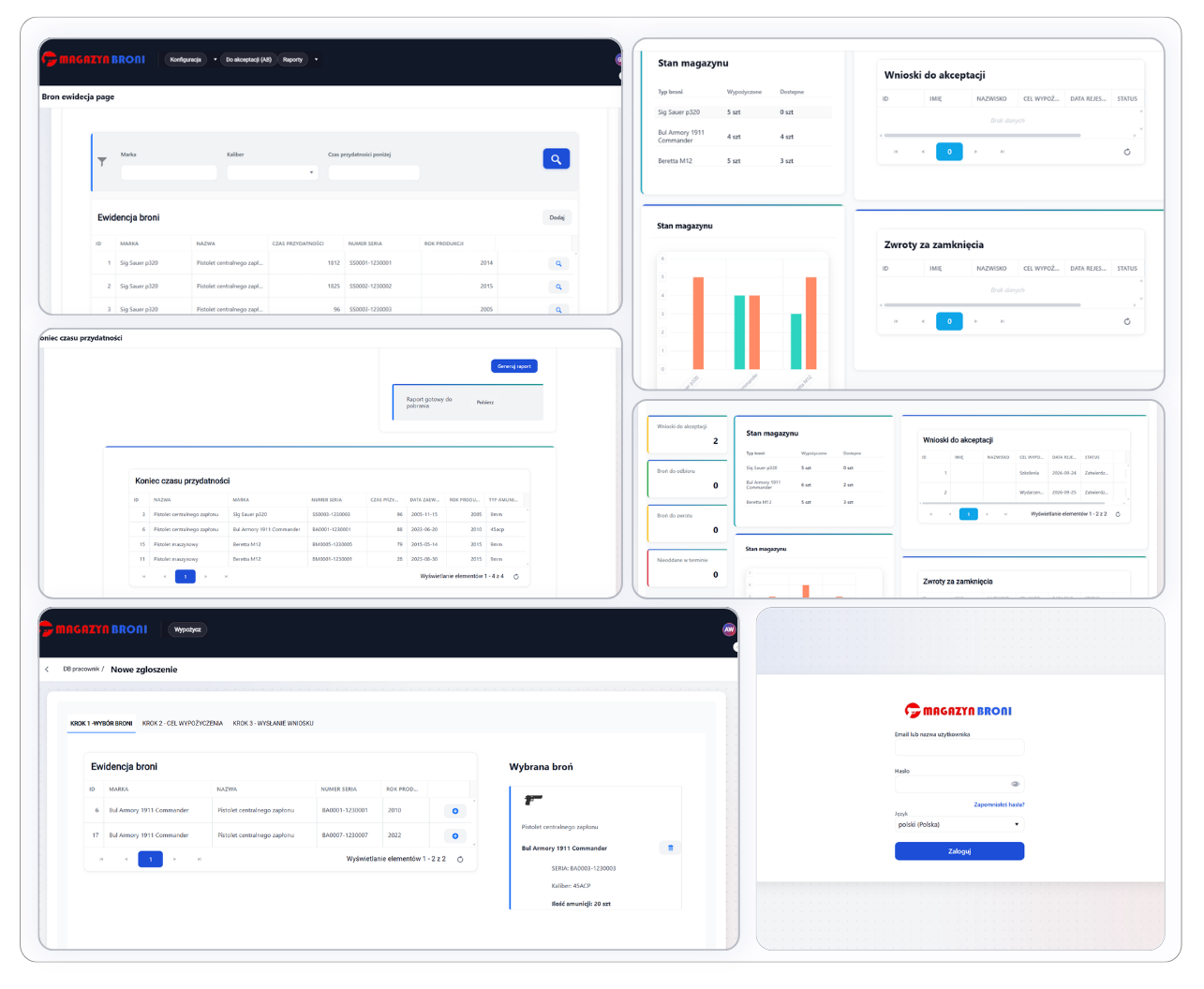
Weapon Rental
Category: Security
Full records and control – from request to weapon return.
The system supports the process of renting firearms to authorized employees. Access to individual operations is controlled based on defined roles, permissions and user responsibility levels. It covers the entire rental cycle: from submitting a request, through its approval, to issuing and returning the weapon, and provides an up-to-date view of requests, active rentals, planned return dates and the status of individual cases.
Key features:
- Request handling and approval
- Weapon issue/return records
- Roles and permissions
- Supervisor dashboard
- Data statistics
- Document generation
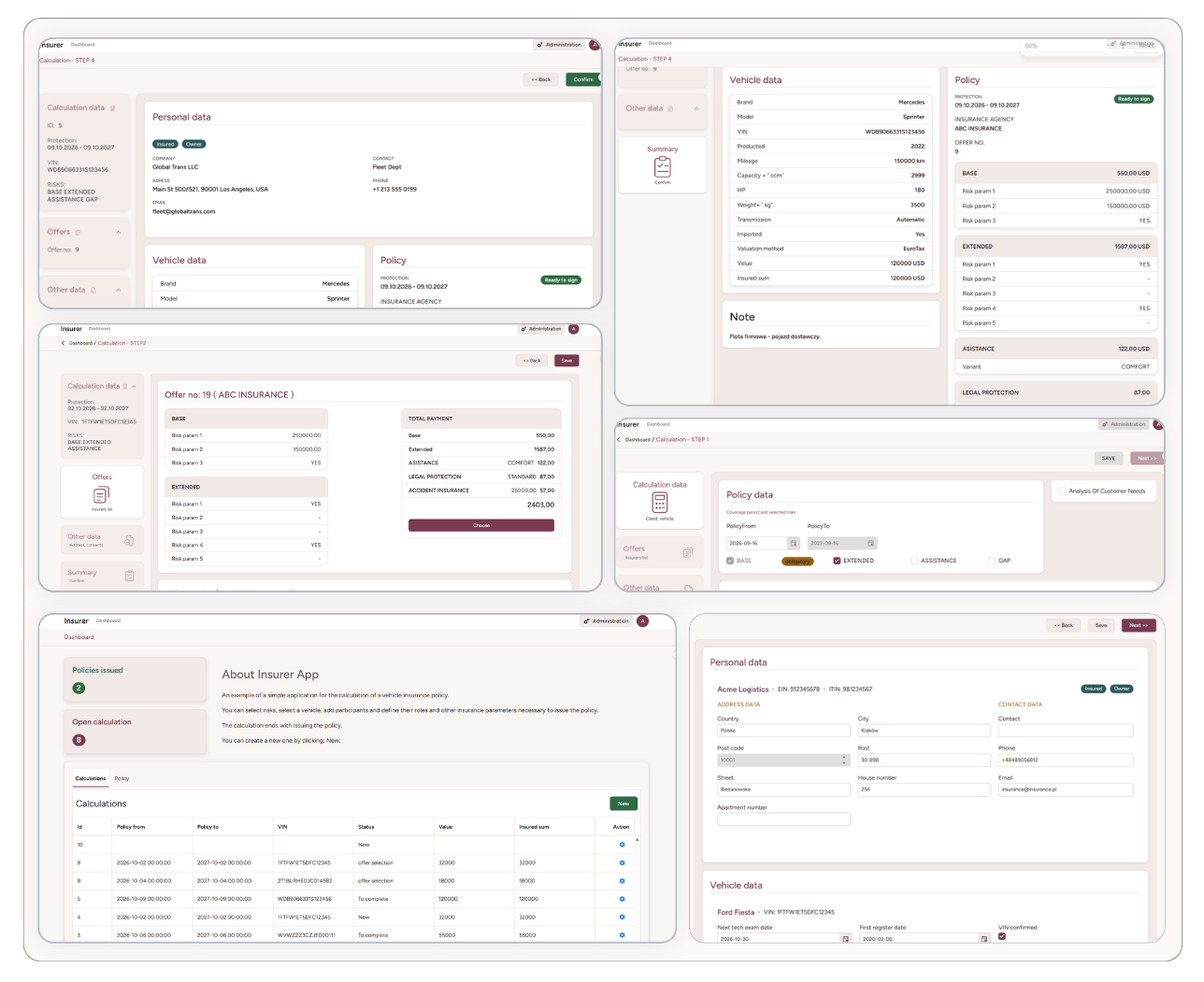
Policy Issuance
Category: Insurance
From data entry to an issued policy. All in one organized process.
The solution is used to calculate and issue vehicle insurance policies. The entire process follows the insurance procedure and covers data entry, calculation, offer selection and the final summary. A processing package connects to a web service that calculates the premium based on the entered parameters. Once the calculation is complete, the user can approve and issue the policy. The application uses workflows and processing packages.
Key features:
- Offer calculation
- Offer selection
- Policy issuance
- Processes and processing packages
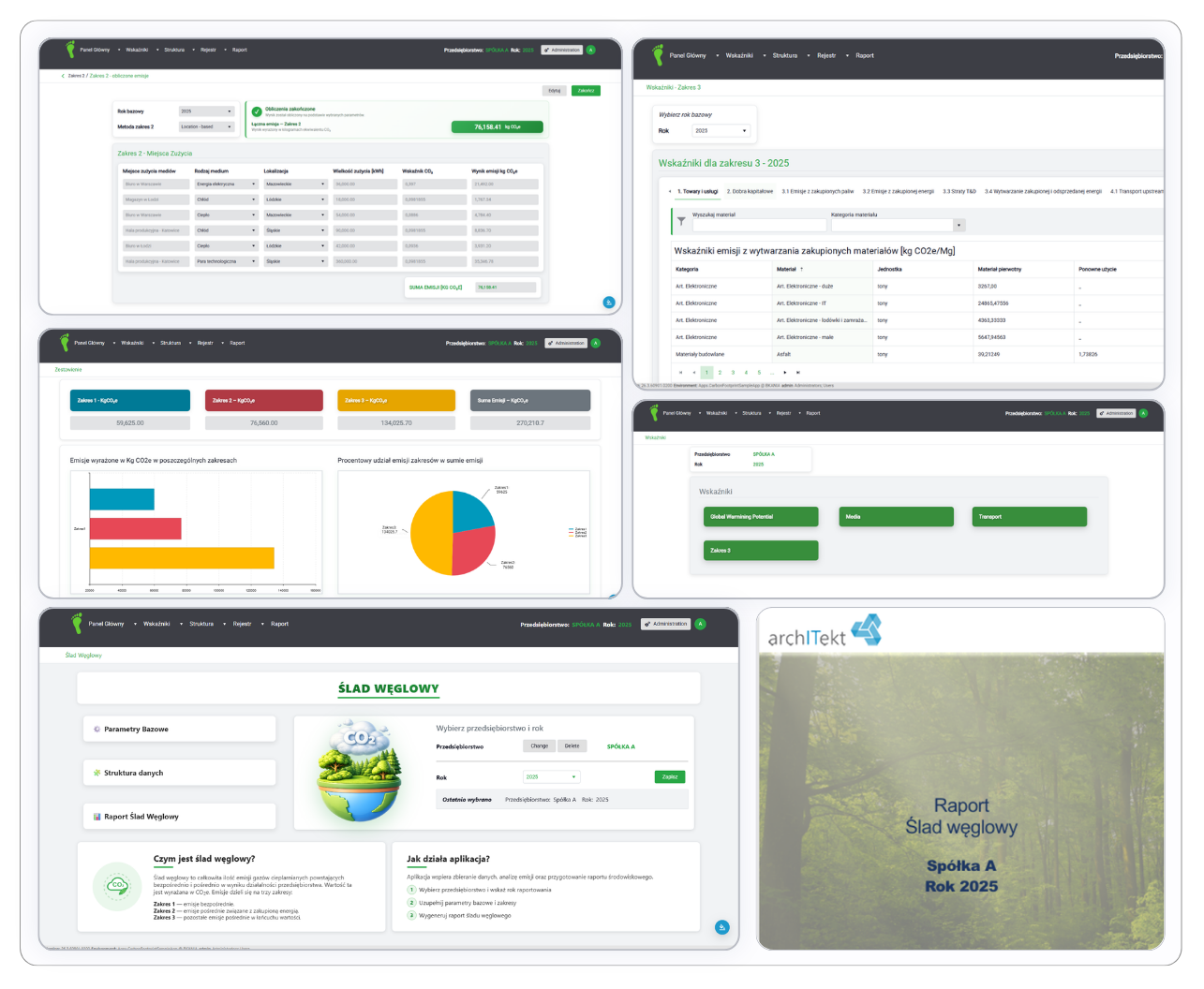
Carbon Footprint
Category: ESG
CO₂e emissions calculated automatically – in line with the GHG Protocol approach.
A tool for calculating, monitoring and analyzing greenhouse gas emissions expressed as CO₂e. It allows collecting emissions data across Scope 1, 2 and 3 in line with the GHG Protocol approach and automatically converting it based on the relevant emission factors. The user can enter data continuously, and the system automatically recalculates emissions and generates reports. The solution uses calculation algorithms and decision tables.
Key features:
- DEFRA, KOBiZE and other emission factor sources
- Decision tables
- CO₂e emission calculation algorithms
- Data statistics
- Carbon footprint report generation
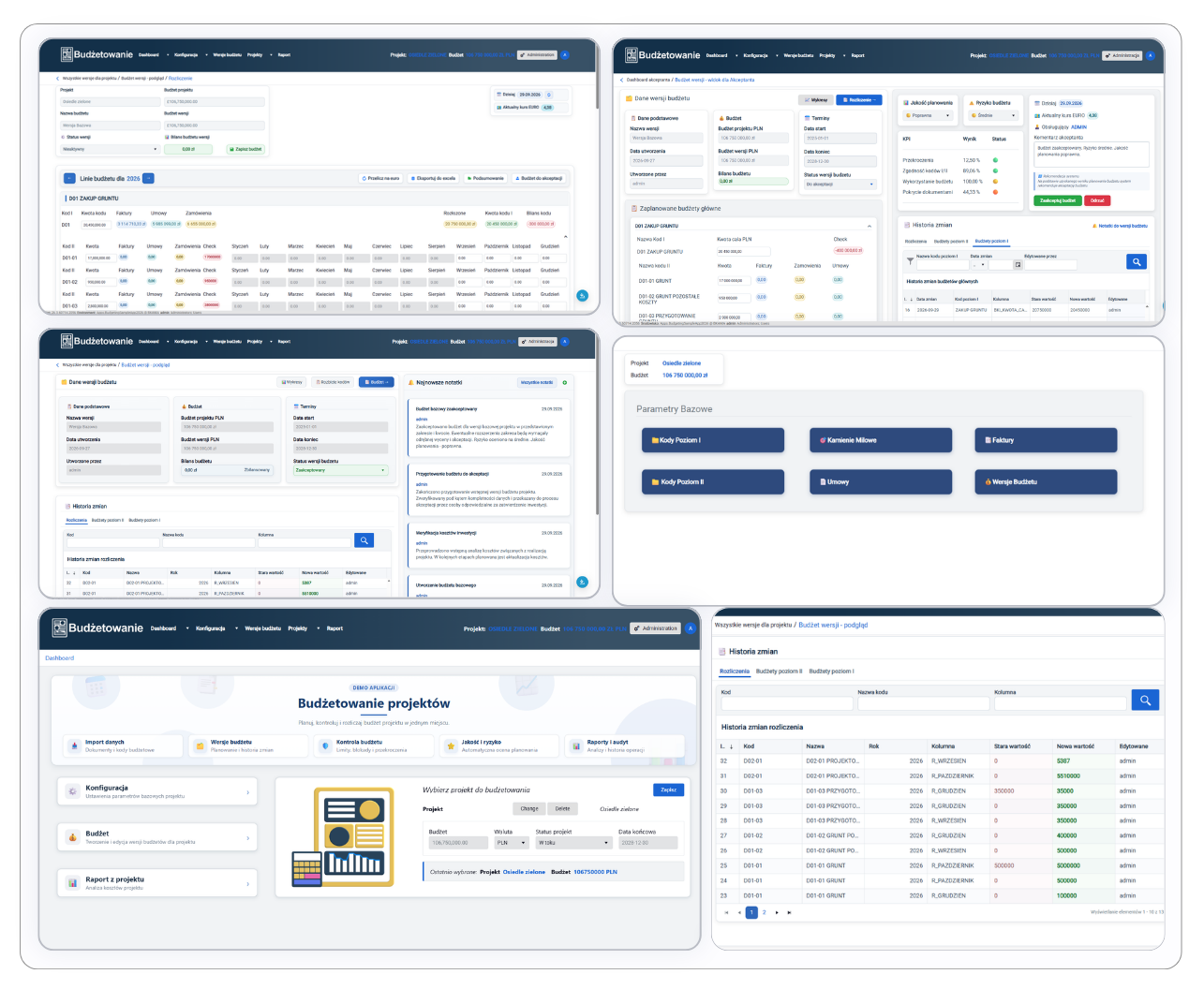
Budgeting - Project Budget Planning
Category: Finance
Full control over a multi-year project budget – from plan, through simulations, to settlement.
A solution for planning, versioning and settling a multi-year project budget. A two-level code structure lets you control costs both at the level of main budget areas and detailed line items. The system imports data from contracts, invoices and milestones, and enables creating budget versions, simulations and scenarios. While the project is running, the user can update values, move funds between periods, compare versions, track the change history and convert amounts into other currencies. The application also allows assessing planning quality, the budget's risk level and the degree of fund allocation.
Key features:
- Budget versioning and simulations
- Multi-level budget structure
- Source document import
- Project budget approval
- Change history and version preview
- Risk and planning quality assessment
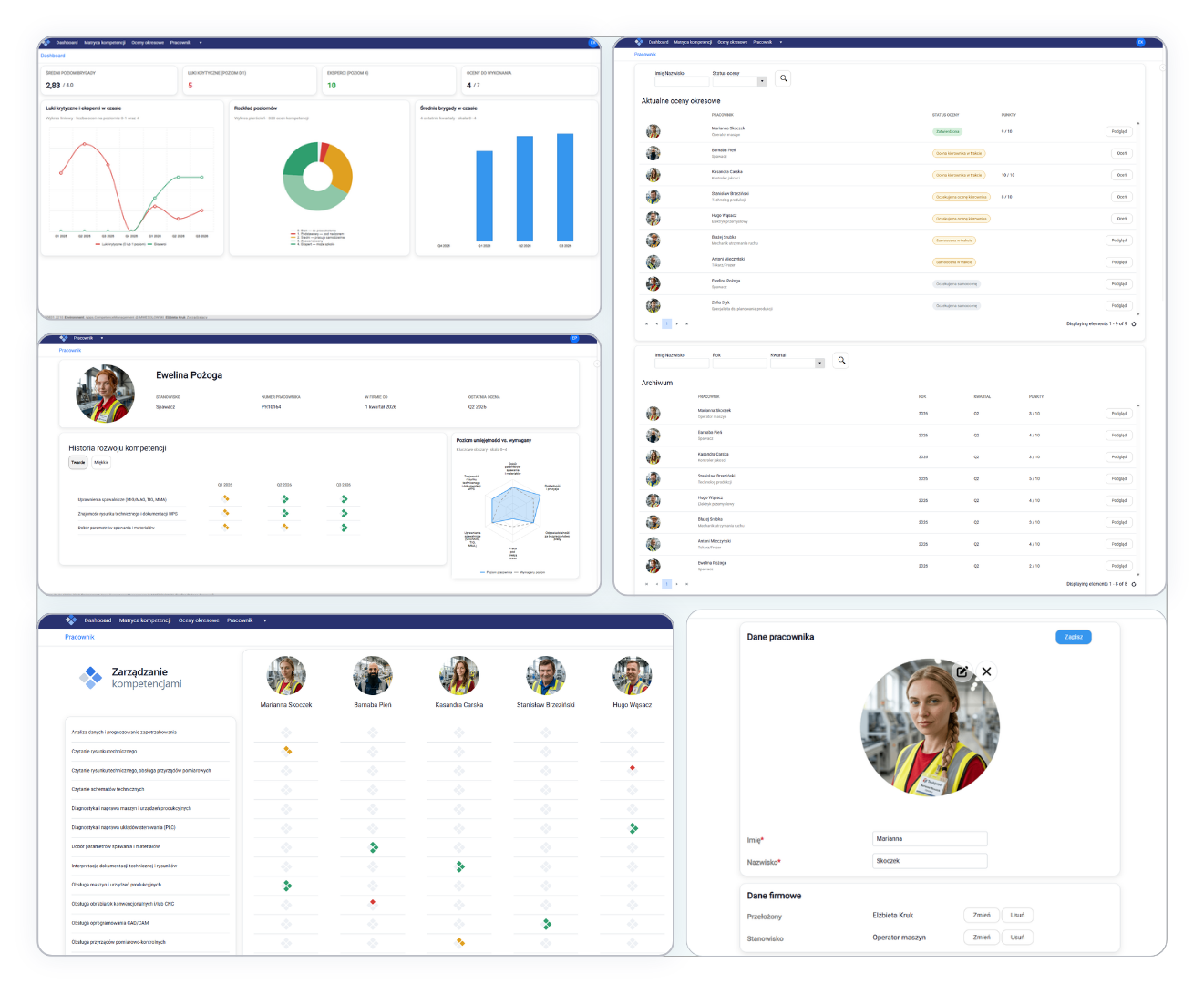
Competence Management
Category: HR
Team competencies under control – from surveys to periodic reviews.
A tool for assessing and managing employee competencies and for running quarterly employee surveys. The administrator adds and edits data on employees, positions and the skills required for a given position. The manager has access to the competence matrix, periodic reviews and their own dashboard, and completes periodic reviews previously filled in by employees. Employees see their own competencies screen and the list of periodic reviews to complete.
Key features:
- Competence and skill management
- Quarterly employee surveys
- Competence matrix
- Employee and position management
- Employee periodic reviews
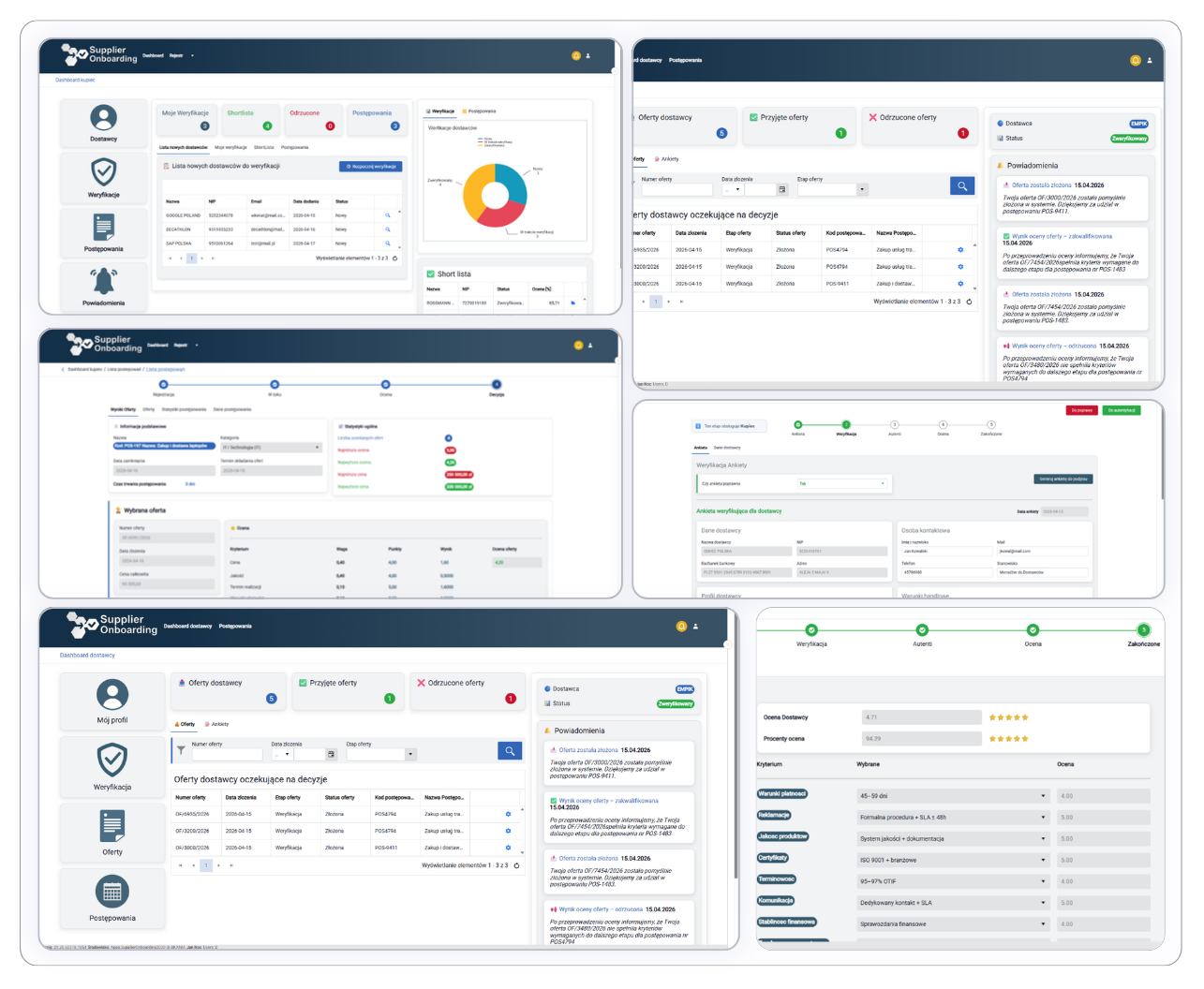
Supplier Onboarding
Category: Procurement
From supplier registration to selecting the best offer.
A solution for buyers and suppliers that covers the entire process of working with suppliers, starting from registration and NIP verification in the VIES system, through qualification, to participation in purchasing proceedings and offer selection. Buyers create proceedings and define the budget, deadlines and evaluation criteria, while verified suppliers submit offers directly in the system. Offers are automatically evaluated according to the defined criteria, and the application creates a ranking, making it easier to compare proposals and choose the best one.
Key features:
- Self-service supplier registration
- NIP verification in VIES
- Supplier qualification and assessment
- Purchasing proceedings
- Automatic offer evaluation
- Offer ranking and selection
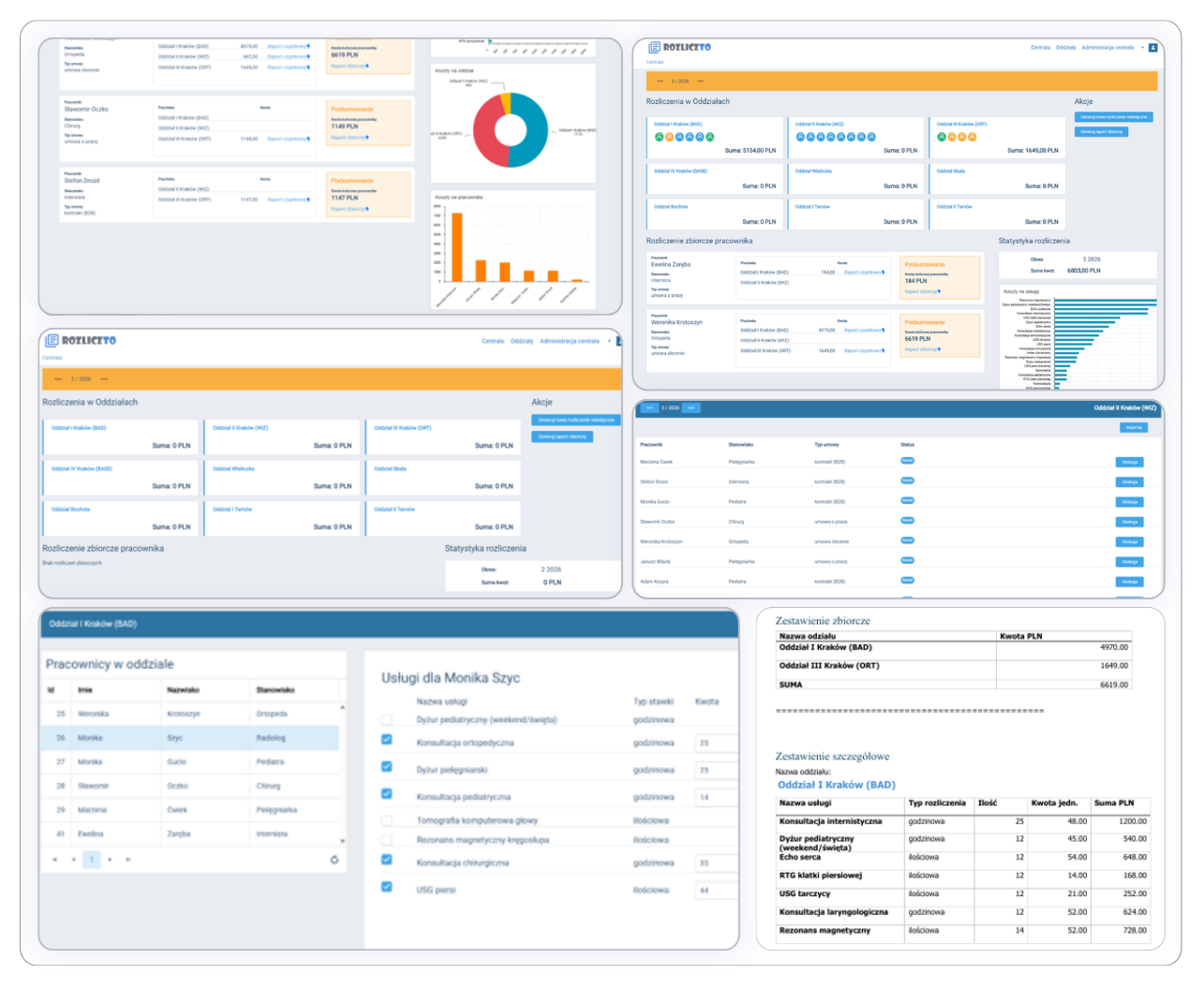
ROZLICZTO - Service Settlement
Category: Finance
Service settlements from multiple branches – verified and approved centrally.
The application organizes the settlement of services performed by employees in individual branches. It allows managing services, employees, positions and branches, as well as configuring rates for specific services for a doctor in a given branch. Settlements can be entered manually or imported from an Excel file, and then verified and approved at head office. The application also allows creating partial reports for individual branches and aggregate reports covering an employee's settlements across all approved branches.
Key features:
- Service management
- Position and branch management
- Rate configuration
- Employee settlements
- Verification and approval by head office
- Partial and aggregate reports
Healthcare - Appointment Handling
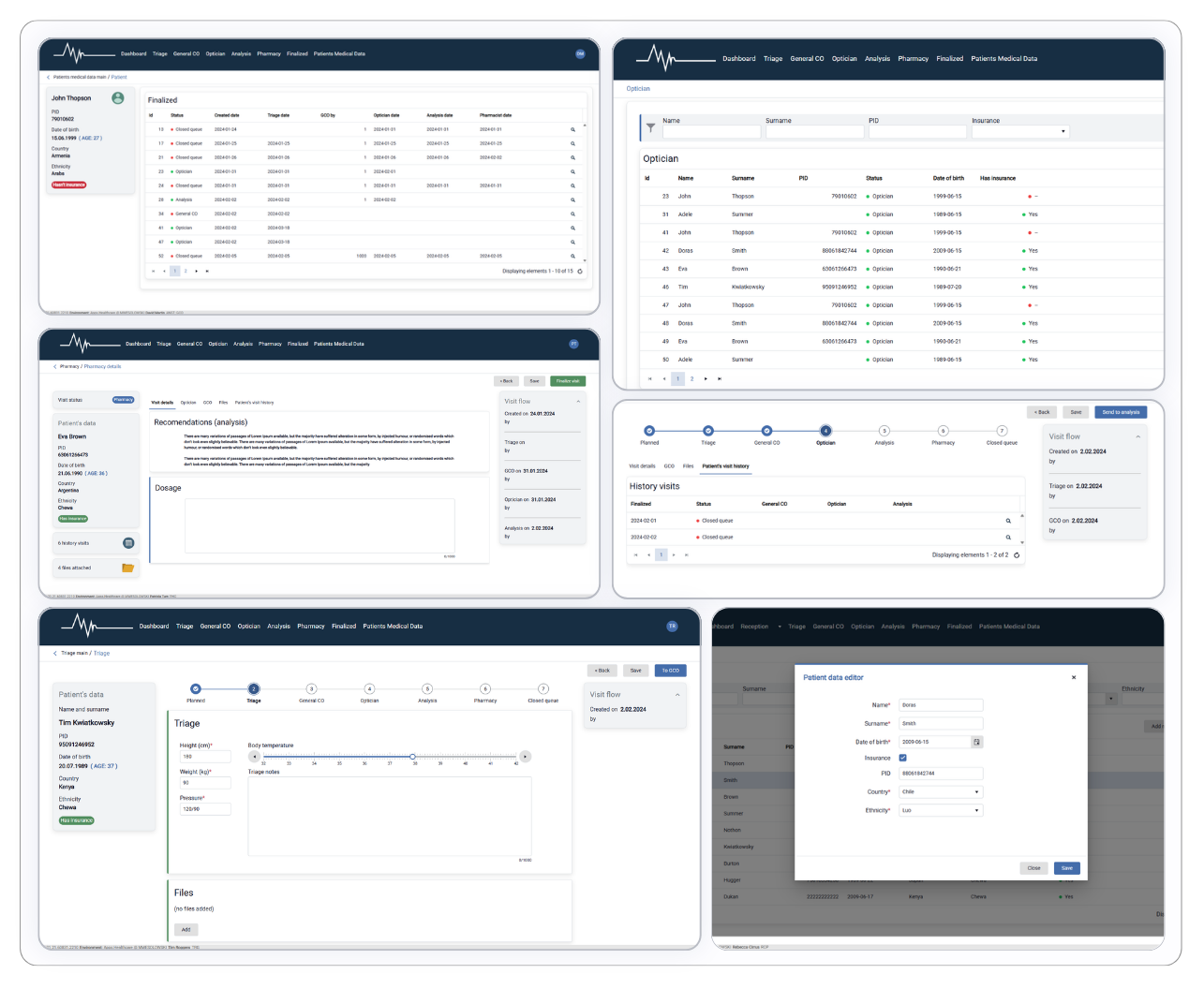
Category: Healthcare
The entire patient journey – from registration to the full visit history.
The system streamlines handling a patient's visit at a medical facility. It allows registering patients, scheduling visits and guiding them through successive stages of the medical process, such as a general consultation, an optical examination, analysis and pharmaceutical handling. The system allows entering medical data, recommendations and dosage information, adding attachments, reviewing visit history and tracking the current status and progress of the visit. Once the process is complete, all information, together with the full course of the visit, is available in the patient's history.
Key features:
- Patient registration
- Visit scheduling
- Handling of successive visit stages
- Results analysis and recommendations
- Visit history and full patient documentation
How to access the sample applications
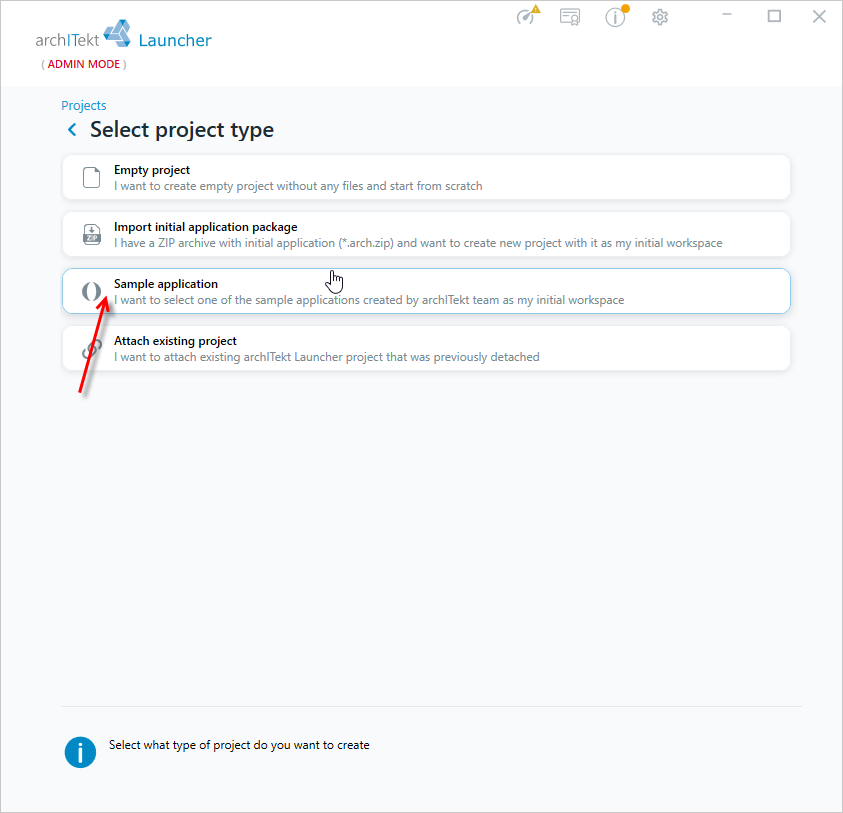
The sample applications do not require downloading any separate packages – they are available directly in VSoft archITekt Launcher. All you need is to install the Launcher and, when creating a new project, select the Sample application option and one of the available applications. The Launcher will download it and create a ready-to-run project that you can open in archITekt Studio right away.
Don't have the archITekt platform yet? Try it out on your own data – register on the VSoft archITekt website and download the demo version. To get the platform and VSoft archITekt Launcher installer, contact us through that site – we will send you the installation files and further instructions.
Downloading a sample application in VSoft archITekt Launcher
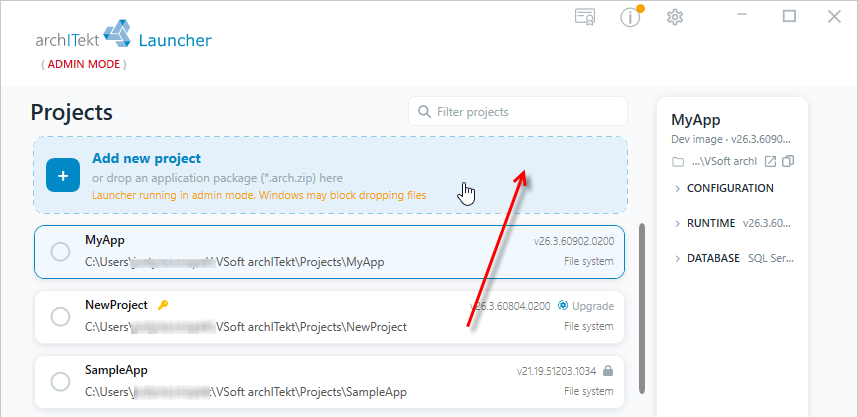
You select and download a sample application in VSoft archITekt Launcher, when creating a new project. The Launcher downloads the selected application by itself and creates a ready-to-run project from it. The steps are described below.
- Select Add new project option.
- In the next window, select Sample application.
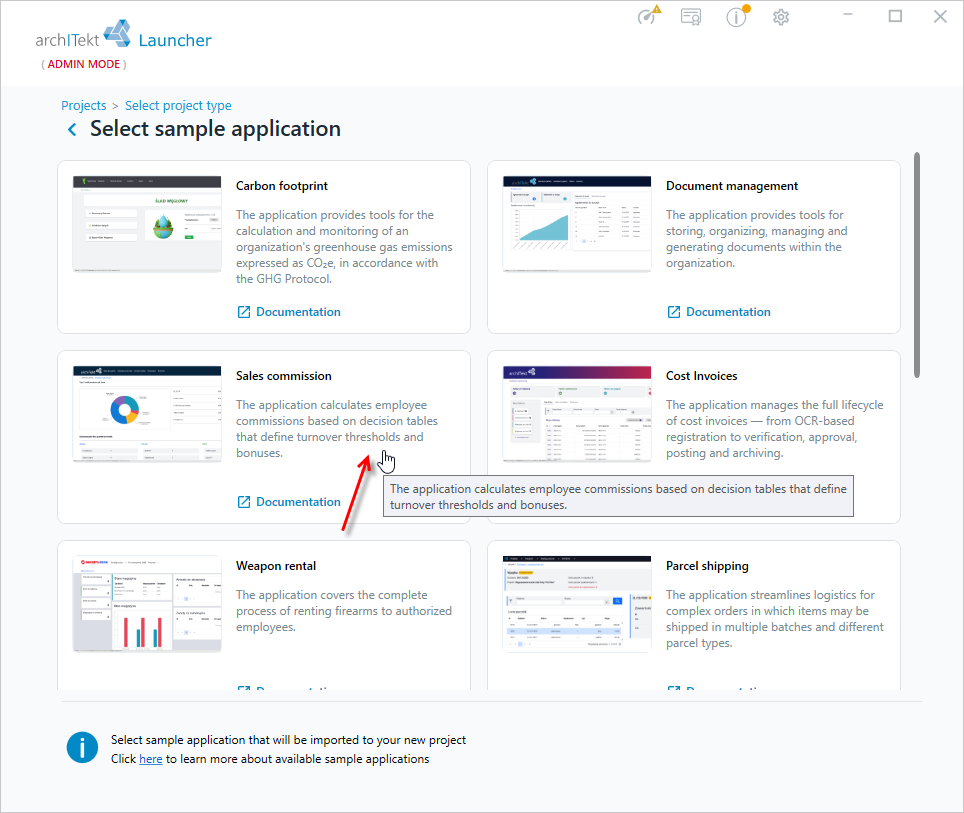
- Select one of the applications.
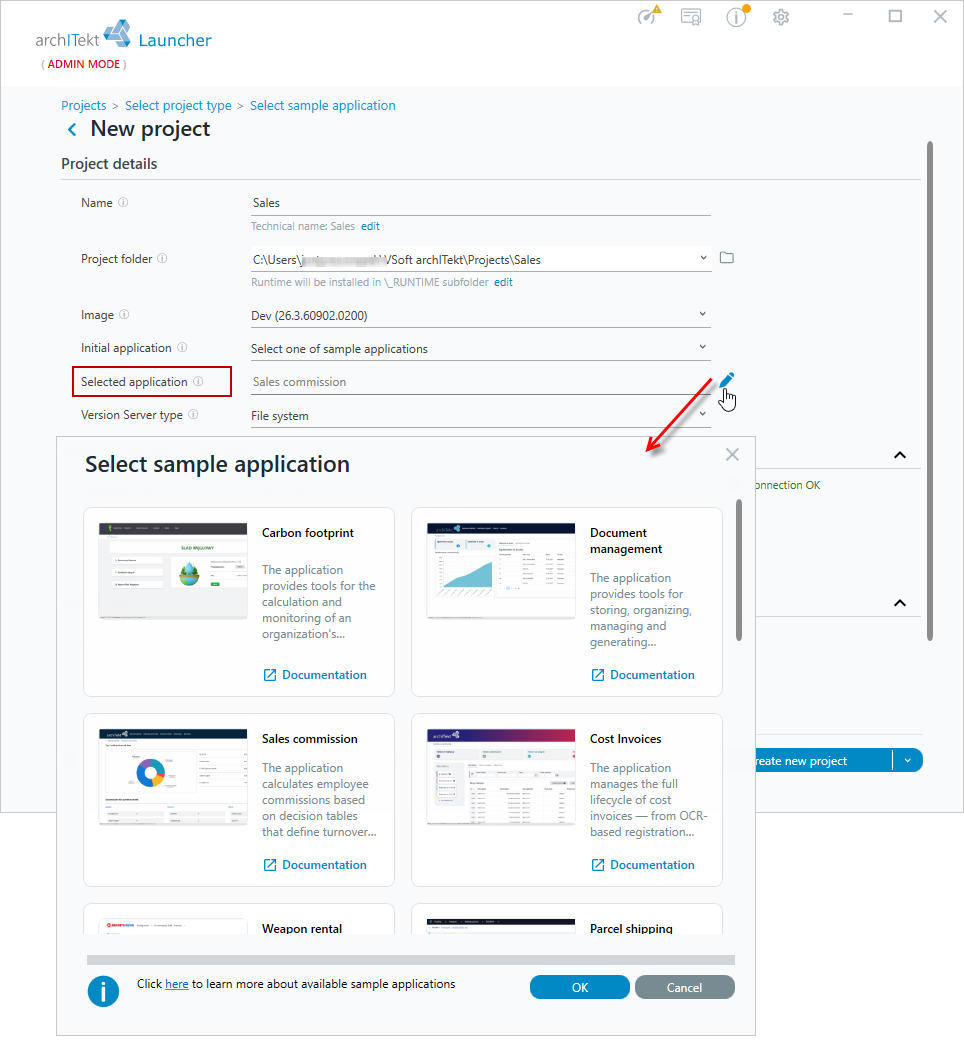
- The next window is similar to the one used when creating a new project. You can change the selected application by clicking on the Selected application field.
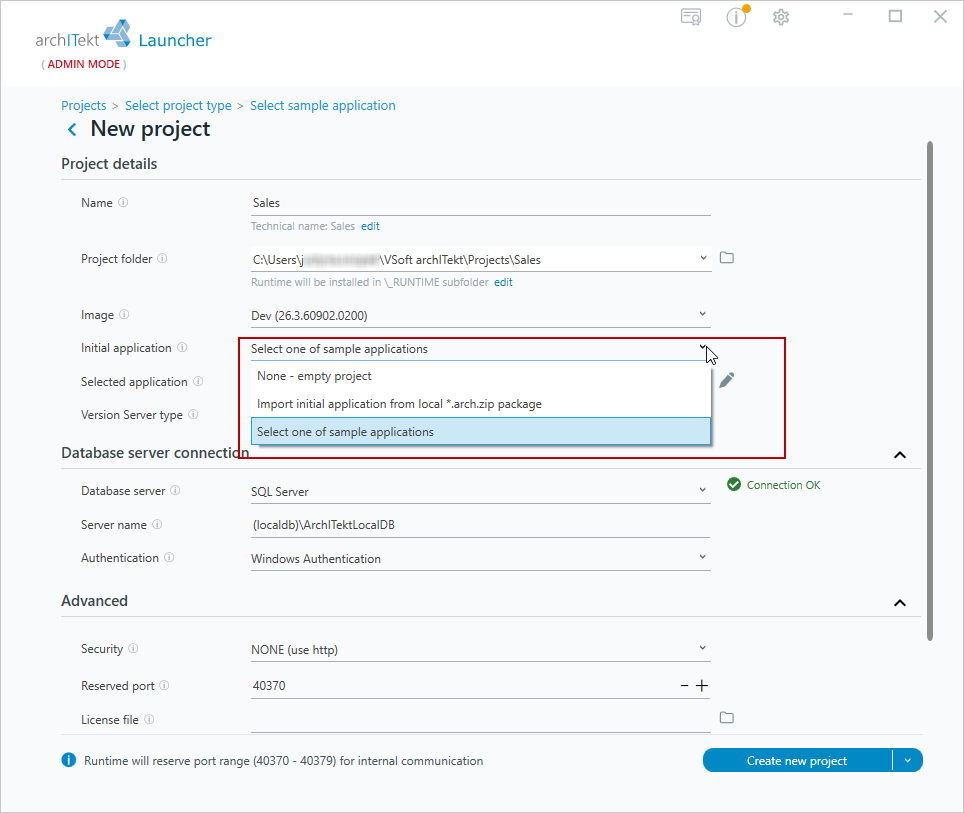
- Here, you can also change your selection and create a new empty project or create a project based on the initial package. This option can be changed in the Initial application field.
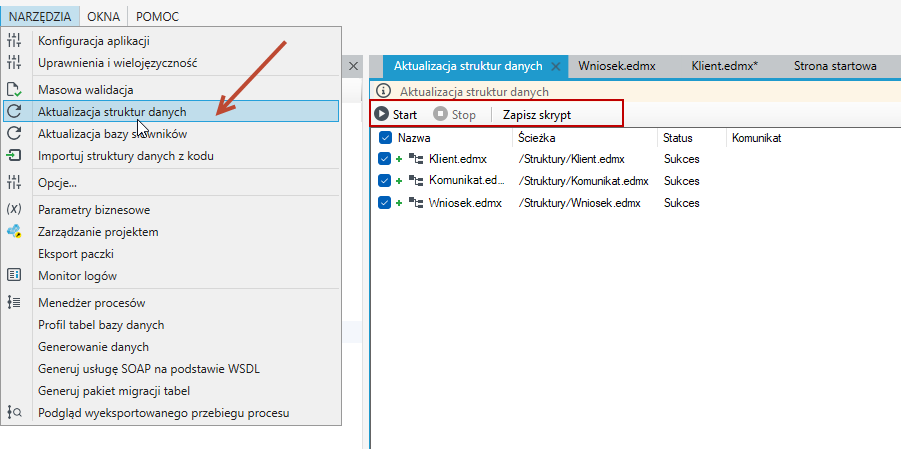
After importing the sample applications, go to archITekt Studio and run the data structure and dictionary structure update scripts.
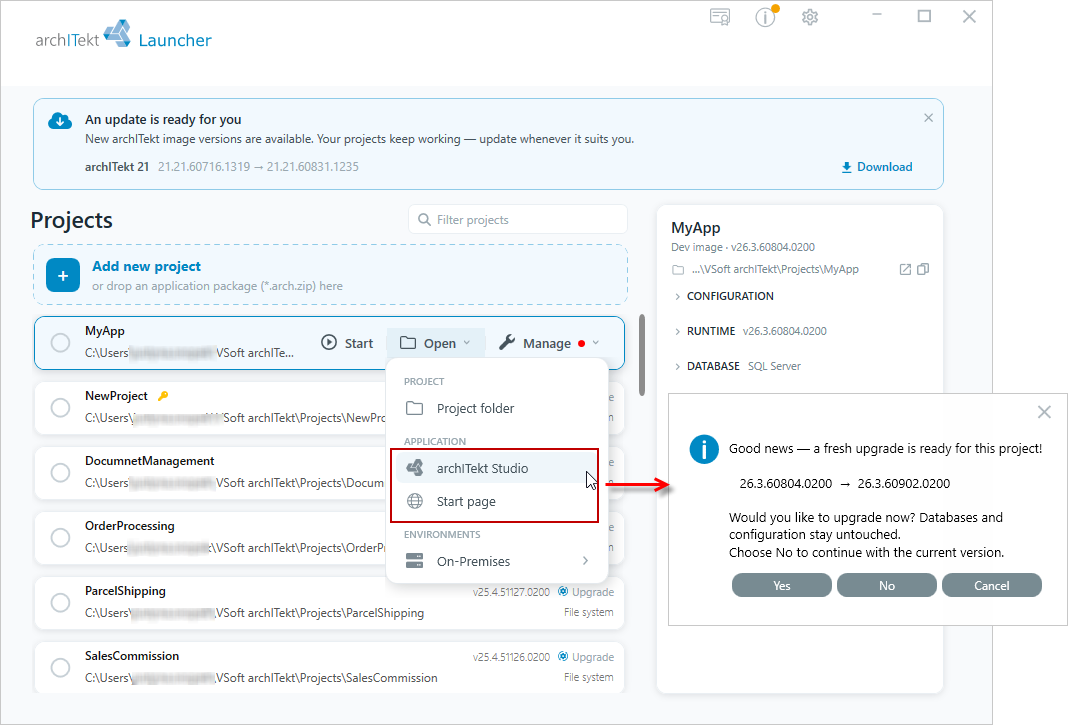
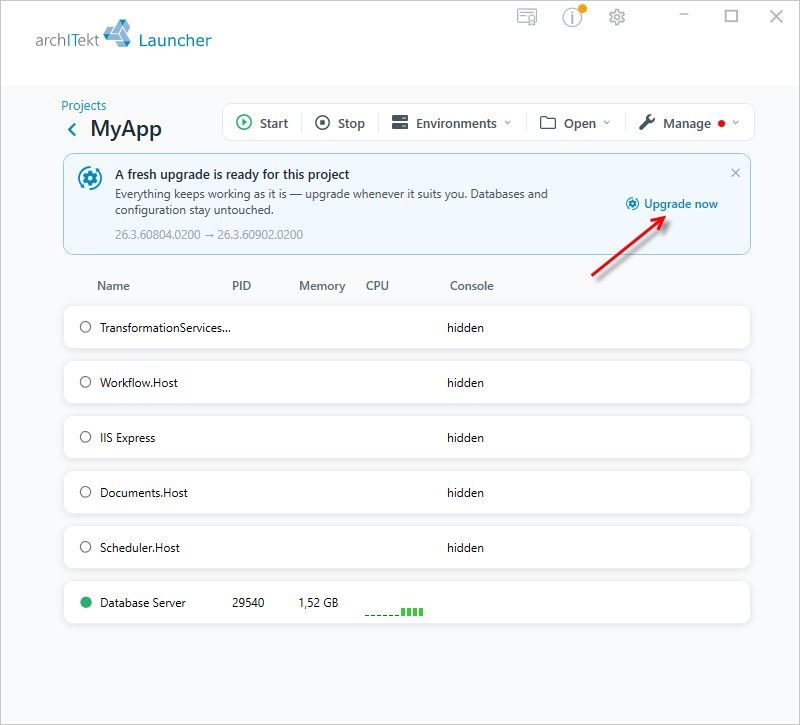
Project update
If you install a newer version of VSoft archITekt, an icon will be highlighted to inform you that a newer version of VSoft archITekt has been found than the one on which the project is running.
- Update the project with the sample application in the same way as when updating other projects, see: Environment update.